

10 Ways to Use Chatbots for Business
Chatbots are redefining how businesses interact with customers, bringing together efficiency and responsiveness. Acting as virtual assistants, they can manage everything from initial customer inquiries to complex lead qualification processes, offering fast and personalized responses. Businesses are increasingly leveraging chatbots to streamline tasks, drive conversions, and deliver outstanding customer experiences.
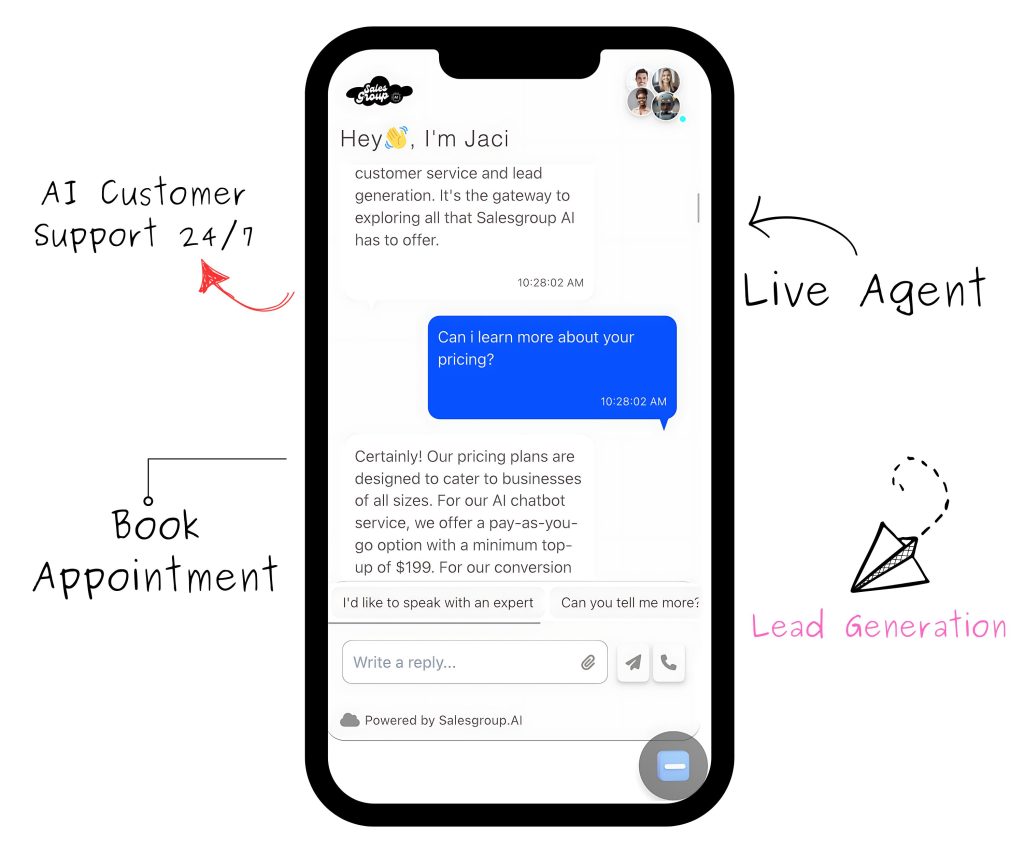
In this article, we’ll dive into 10 practical ways to use chatbots effectively for business growth, with a spotlight on SalesGroup AI’s features designed to elevate customer engagement. Let’s dive.
Table of Contents
10 Ways to Use Chatbots for Business
1. Customer Support
Like we all know, providing consistent customer support is essential, and Salesgroup Ai chatbots are equipped to manage this. They can answer frequently asked questions, provide product information, and direct access to relevant resources 24/7.
SalesGroup AI’s live chat feature transitions effortlessly from bot to human interaction, ensuring customers receive personalized support whenever they need it.
For instance, SalesGroup AI’s Live Chat feature includes an automated responder option, allowing businesses to answer frequently asked questions around the clock. From “Where is my order?” to “What are your return policies?”, chatbots ensure visitors get the answers they need without delay.
2. Lead Generation
No doubts, capturing leads during site visits is a priority for many businesses. Chatbots serve as the first point of contact, starting conversations and qualifying leads with targeted questions. SalesGroup AI chatbots don’t just answer questions but they as well actively generate leads by collecting visitor data and qualifying prospects. When a visitor interacts with the bot, it can capture key information like name, email, and preferences, which then integrates into the company’s CRM system.
Additionally, SalesGroup AI’s Lead Manager makes lead generation effortless. When a visitor starts a chat, the bot can capture and organize data into easy-to-track profiles, which your team can follow up with for targeted marketing efforts.
3. Product Recommendations
One major truth is that personalized shopping experiences boost customer satisfaction, and Salesgroup.AI chatbots make this possible. They can suggest tailored product recommendations. SalesGroup AI’s recommendation feature leverages user data to match products with individual preferences, creating a smoother shopping journey that leads to higher conversions.
Chatbots can assist customers in finding the right products or services based on their needs and preferences. It does by analyzing browsing patterns or asking a few qualifying questions, chatbots can make personalized recommendations, boosting the chances of a sale.
In addition, SalesGroup AI’s chatbot allows you to customize questions for product recommendations. If a customer is unsure of which product to choose, the chatbot can ask questions to understand their preferences, then suggest the most relevant options.
4. Sales Assistance
From product inquiries to upselling opportunities, chatbots assist in the sales process by providing accurate product details and helping customers find what they’re looking for. With SalesGroup AI, chatbots can guide customers through each step, right up to checkout, making the purchasing process convenient and effective.
5. Appointment Scheduling
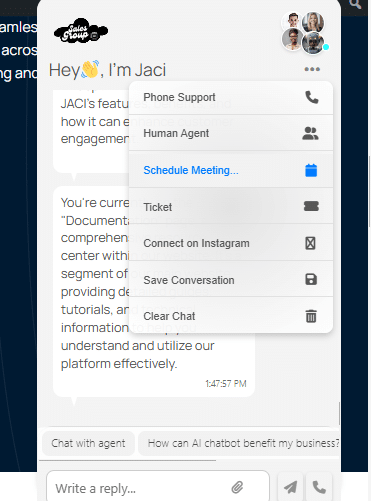
For service-based businesses, chatbots simplify appointment bookings, eliminating the need for manual scheduling. SalesGroup AI integrates with your calendar, allowing clients to schedule consultations or services directly through the chat interface, reducing friction and improving booking efficiency.
Instead of using third-party scheduling tools or relying on back-and-forth emails, chatbots can manage appointments directly from your site. A chatbot can pull up available dates, book appointments, and even send reminders, saving time for both your business and your clients.
Also, with SalesGroup AI, you can configure the chatbot to sync with your calendar. Clients can book appointments, schedule demos, or set up consultations—all through an intuitive, automated interface.
6. Order Tracking
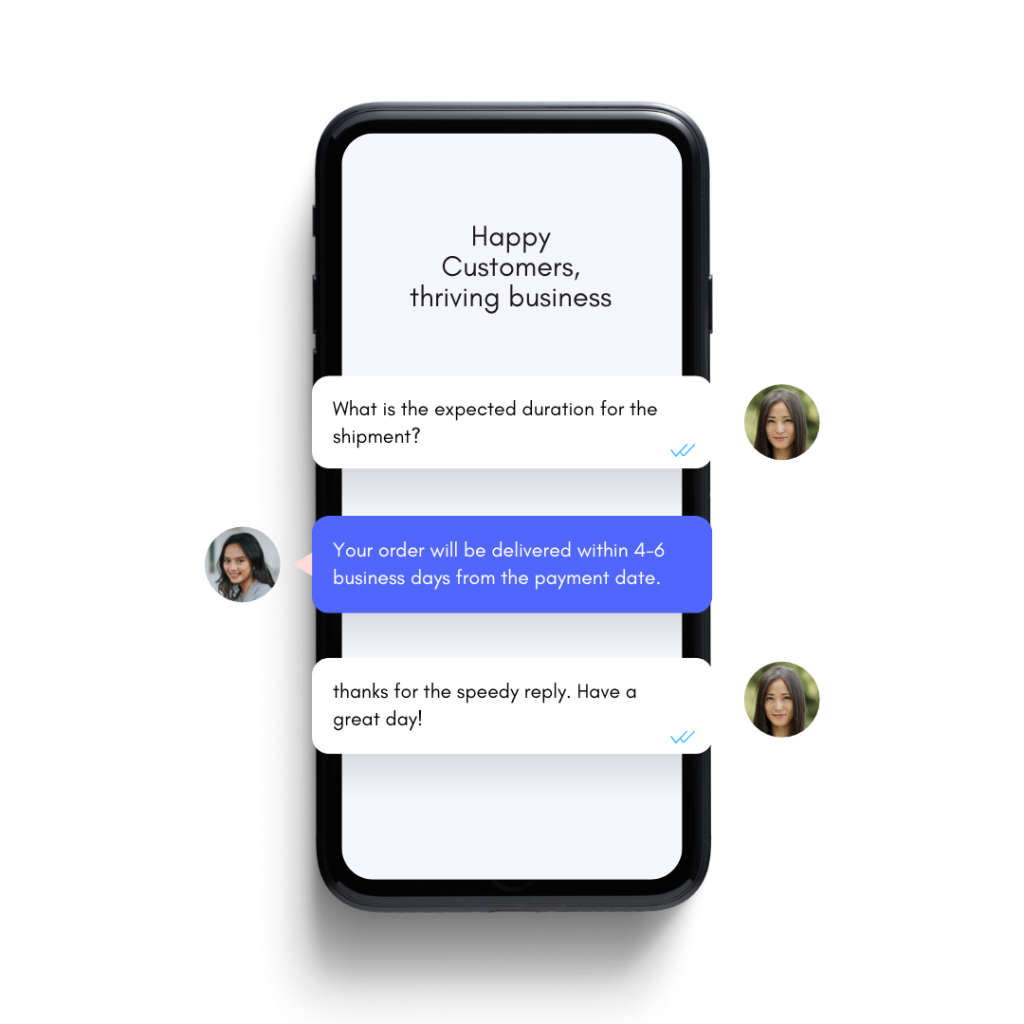
Keeping customers informed about their order status builds trust and satisfaction. Chatbots, powered by SalesGroup AI, can automatically track and share updates on shipping, delivery times, and any delays. This feature keeps customers in the loop, reducing follow-up emails and calls.
For e-commerce businesses, chatbots are invaluable for order tracking and updates. Instead of clients emailing or calling in, they can simply ask the chatbot to check on an order’s status.
Also, SalesGroup AI’s live chat integrates with tracking systems, allowing customers to enter their order number and receive real-time updates directly from the chat. This transparency keeps customers informed and reduces inquiries to your support team.
7. Feedback Collection
Customer feedback is crucial for growth, and chatbots facilitate this effortlessly. SalesGroup AI’s feedback module engages users at the end of interactions, asking for ratings, comments, and suggestions. This valuable data can inform product improvements and optimize customer experience.
Understanding customer preferences and feedback is key to improvement. Chatbots can automate feedback requests after a purchase, during an interaction, or post-service, making it easy to collect data without manual follow-up.
Additionally, SalesGroup AI’s chatbot can prompt visitors to complete short surveys or rate their experience directly within the chat window. The insights gathered can guide your strategy, product offerings, and overall customer service enhancements.
8. Event Reminders
You can keep customers in the know about upcoming webinars, sales, or special events with chatbot reminders. SalesGroup AI’s automated reminders can be programmed to notify your audience ahead of time, ensuring higher participation and engagement without relying on manual communication.
9. Cross-Selling and Upselling
Chatbots can increase revenue by recommending related products or premium versions to customers who are actively browsing or inquiring about specific items. SalesGroup AI allows you to set up strategic cross-sell and upsell prompts, boosting your average order value through timely, relevant suggestions.
Chatbots can boost revenue through upselling and cross-selling, recommending related products or upgrades based on what the customer has shown interest in. If a customer is looking at a specific item, the chatbot might suggest complementary products or a higher-tier version.
In addition, SalesGroup AI’s chatbot is customizable to display relevant add-ons or upgrades during a conversation, enhancing the shopping experience and driving additional sales
10. Internal Help Desk
Chatbots are equally valuable for internal use, helping employees quickly access information or resources. SalesGroup AI’s internal help desk feature is a handy resource for team members to get answers to HR or IT-related questions without involving extra staff, saving time and enhancing productivity.
Enabling and Configuring SalesGroup AI’s Chatbot
To get the most out of your chatbot, let’s go through the setup and customization process step-by-step.
1. Install SalesGroup AI
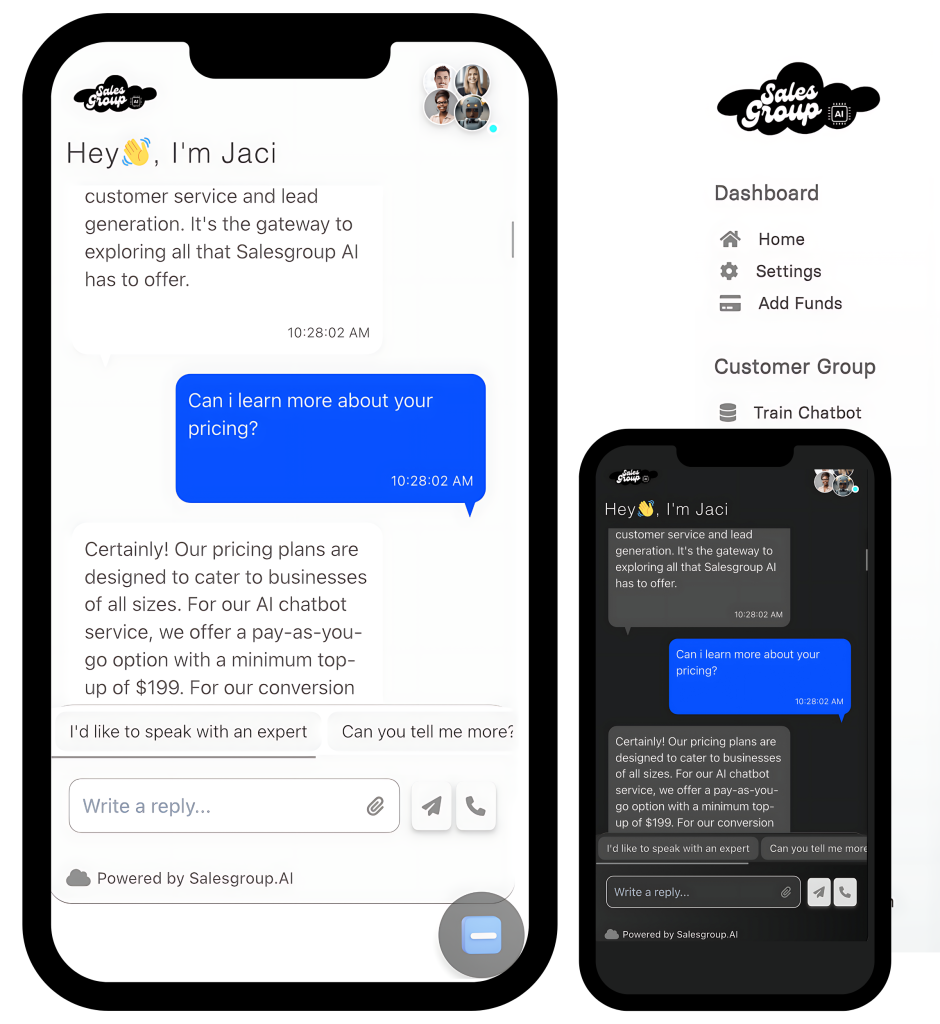
Begin by installing SalesGroup AI on your website. Go to the SalesGroup AI dashboard, where you can generate a unique code snippet for integration. Insert this snippet into your site’s HTML, and the chatbot widget will be live and ready for action. You can read this article on how to add salesgroup AI on website

2. Customize the Chatbot Experience
Once installed, personalize the chatbot’s messaging based on your goals. Within the SalesGroup AI dashboard, set up specific questions for customer support, lead generation, and product inquiries. This customization ensures that each interaction is relevant and aligned with user needs.
3. Activate Push Notifications
Enable push notifications so that your team can receive real-time alerts whenever a customer requires assistance. This feature helps reduce response times and enhances the overall support experience.
4. Assign Roles and Permissions
To ensure inquiries are routed correctly, assign team roles within the SalesGroup AI dashboard. This feature lets you allocate responsibilities, helping team members efficiently manage different types of customer requests.
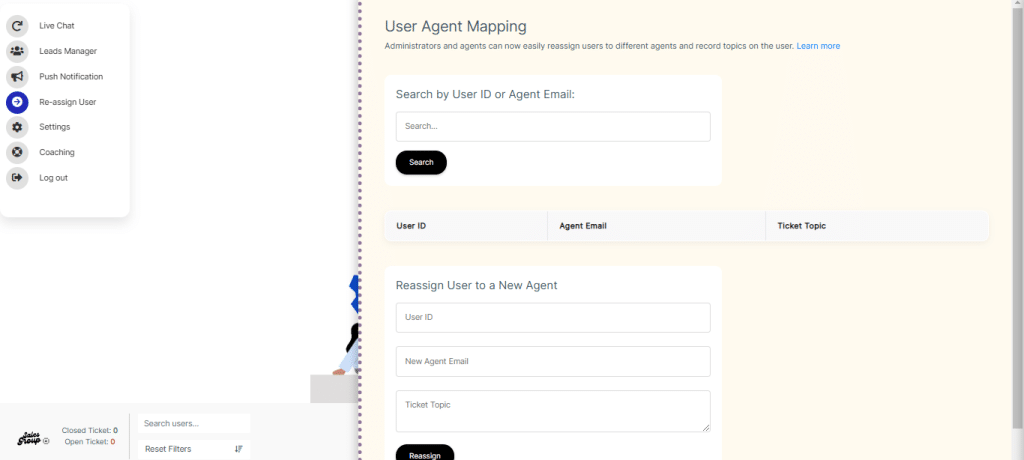
5. Update Contact Settings
From the settings menu, you can update contact information, such as your email, to receive lead notifications and other critical communications. Keeping these details current is vital to maintain efficient follow-ups and customer relationship management.
SalesGroup AI’s Key Features
SalesGroup AI’s chatbot offers a range of features tailored to enhance customer experience and streamline business operations. Here’s an in-depth look at the core functionalities:
1. Lead Manager
The Lead Manager feature in SalesGroup AI organizes and prioritizes leads gathered through chatbot interactions. This centralized tool makes it easy to manage contacts, schedule follow-ups, and track engagement. It allows your sales team to focus on high-quality leads, improving overall conversion rates.
2. Push Notifications
Push Notifications ensure that your team stays updated on customer needs in real-time. Whenever a customer requires assistance or completes a key action, the system triggers an alert, keeping your team informed and responsive. This feature enhances the support process, helping maintain high satisfaction levels.
3. User Reassignment
With SalesGroup AI’s User Reassignment, you can smoothly hand off a conversation from the chatbot to a live agent when necessary. This transition maintains the personal touch that customers value, making complex inquiries easy to handle and ensuring customers feel supported.
4. Settings
Settings offer flexible options for customizing how you receive notifications and manage communications. Here, you can update your email address, modify notification preferences, and adjust the chatbot’s behavior to match your business’s evolving needs.
Conclusion: Maximize Business Potential with Chatbots
Chatbots offer businesses a powerful solution for increasing efficiency, enhancing customer satisfaction, and driving revenue. By automating repetitive tasks and providing personalized support, they enable teams to focus on strategic growth initiatives. SalesGroup AI stands out by providing an intuitive chatbot solution packed with features that streamline operations and improve customer experiences.
Take advantage of SalesGroup AI’s capabilities to integrate chatbots into your strategy. Ready to see how it can work for your business? Sign up now!
FAQs
. Can I customize the questions my SalesGroup AI chatbot asks?
Yes, you can tailor questions in the dashboard to align with your business objectives, ensuring each interaction is purposeful.
2. Does SalesGroup AI integrate with other tools?
Absolutely! SalesGroup AI integrates with CRM systems and calendars to enhance lead management and scheduling.
3. How can I manage notifications?
Push notifications are adjustable within the settings menu, where you can also update your email for real-time alerts.
4. Is SalesGroup AI suitable for small businesses?
Yes, SalesGroup AI scales to fit businesses of all sizes, providing solutions that support both startups and larger enterprises.
