

Crisp Review: Features, Pricing, Pros & Cons
Crisp is an all-in-one customer messaging platform that helps businesses gather sales, marketing, and support into one unique dashboard, but let’s do a Crisp review, so you can choose rightly. Crisp is known for its focus on a unified inbox, live chat features, and powerful automation tools that help teams scale their customer relationships.
Our goal in this article, is to give you a simple, friendly, and very detailed review of Crisp’s core functions, key features, and pricing plans. We will explain exactly what this flexible platform offers so you can confidently decide if it is the right solution for growing your customer service and sales engagement. Let’s dive in.
What is Crisp?
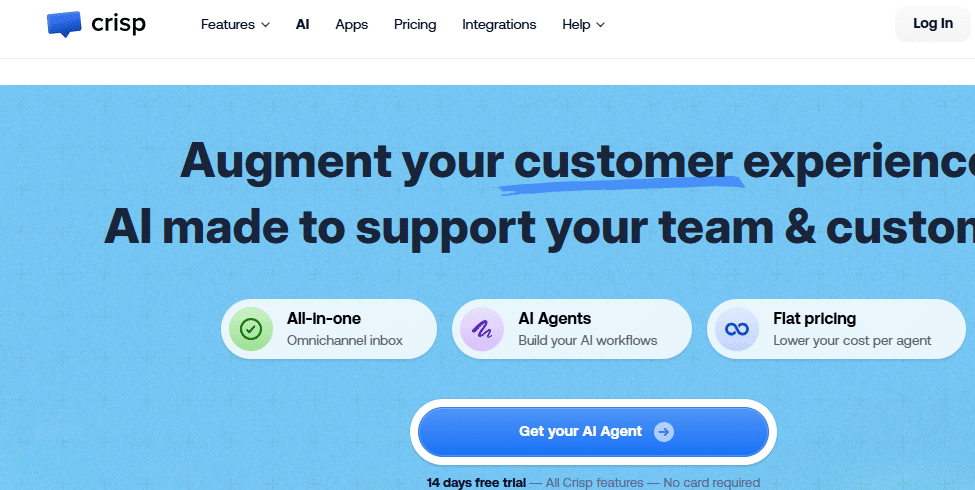
Crisp is a customer engagement platform that brings all your customer communication and relationship tools together in one place. Unlike older help desk software that focus mostly on tickets, Crisp is built on the idea of real-time conversation and the power of a single customer view.
It acts as a central hub where messages from many different channels—like your website’s live chat, email, Facebook Messenger, Instagram, and even WhatsApp—all flow into a single, shared inbox.
The main mission of Crisp is to help small and medium businesses (SMBs) and startups deliver fast, personal customer service. It doesn’t just manage support; it also includes features for sales and marketing teams, such as managing customer data (CRM), running marketing campaigns, and building powerful chatbots.
By unifying these functions, Crisp helps teams communicate instantly with customers and leads, gather valuable data, and improve the entire customer journey, from first visitor to loyal client.
Crisp Core Features and Functionalities
Crisp offers a wide range of tools designed to cover the entire customer lifecycle, focusing on speed, personalization, and teamwork. Let’s look closely at the most important features and how they work.
1. The Unified Shared Inbox (Team Inbox)
The most important feature in Crisp is the Shared Inbox, also called the Team Inbox. This is where all conversations from every channel land in one place. Whether a customer sends an email to support@ or starts a chat on your website, your team sees it in the same clean interface.
This feature is great for team collaboration because it eliminates the confusion of using different tools for different channels. Agents can see a message’s status, who it’s assigned to, and internal notes about the customer, ensuring no one duplicates work or misses a reply.
2. Live Chat and Visitor Monitoring
Crisp is famous for its powerful Live Chat Widget. This widget is not just a simple chat box; it’s a doorway to advanced features. The chat is free and unlimited in all plans (even the free one). A unique feature is MagicType, which allows agents to see what the customer is typing in real-time before they press send.
This saves precious seconds and allows agents to prepare the answer in advance. It also includes Live Translate, which lets agents and customers communicate in different languages, with Crisp translating messages instantly. For sales, the Visitor Monitoring tool lets teams see who is currently browsing the website and proactively start a chat, which can increase sales leads.
3. AI Chatbots and Automation
Crisp offers a no-code AI Chatbot builder that lets you create automated workflows easily. These bots can be deployed across all supported channels (website, WhatsApp, Messenger, etc.). The AI Chatbot can handle common questions, gather information like emails and phone numbers, and automatically qualify leads.
For human agents, Crisp provides AI-powered tools like smart replies, conversation summaries, and a support Copilot to help them handle more conversations with less effort. This combination of AI and automation saves significant time by deflecting simple support requests so human agents can focus on complex issues.
4. Knowledge Base and Self-Service
Crisp includes a fully integrated Knowledge Base software. This allows teams to create and manage a dedicated help center or FAQ site that customers can use to find answers themselves. The knowledge base integrates deeply with the chat widget, so customers can search for articles without leaving the chat window. This self-service option helps reduce the number of incoming support tickets, making your team more efficient.
5. CRM, Campaigns, and Customer Data
Crisp is much more than just a support tool; it includes a built-in CRM (Customer Relationship Management) for tracking customer profiles. Every conversation automatically enriches the customer’s profile with their details, activity history, and location.
This gives agents a complete picture of the customer instantly. Furthermore, Crisp offers Drip Campaigns and Marketing Automation features in higher tiers, allowing you to send targeted emails and in-app messages to segmented customer lists for onboarding, announcements, or sales retargeting.
5. Video Chat and Screen Sharing
For deeper troubleshooting or sales demonstrations, Crisp offers a unique feature that allows agents to start a Video Chat with Screen Sharing directly within the chat widget. There is no need for external tools like Zoom or Skype. This instant ability to see the customer’s screen or hold a video call is incredibly helpful for solving complex technical problems quickly and personally.

Crisp Setup Experience and Usability
Crisp is widely known for its ease of use and fast setup. The free Live Chat widget can be installed on a website, like WordPress or Shopify, in minutes, often without needing a developer. The overall interface is modern, clean, and intuitive, making the learning curve much smoother for new agents compared to traditional, heavier help desk systems.
The platform’s flat pricing model (paying per workspace, not per agent after the initial included seats) also makes it simple for growing teams to predict costs. However, some users have noted that fully setting up the most advanced features—such as complex multi-channel automation workflows or advanced WhatsApp integrations—can require a bit more effort and may benefit from some initial support to get perfect.
Crisp Pricing Structure and Plans
Crisp uses a flat-rate pricing model that is generally very attractive for startups and small to medium businesses because you pay a single price per workspace, not a fee for every single agent. Note that the prices below are the monthly cost when you pay for a full year.
| Plan Name | Monthly Cost (per month, per workspace) | Agents Included (Seats) | Key Inclusions | Best For |
|---|---|---|---|---|
| Free Plan | $0 (Forever Free) | 2 operators | Live Chat Widget (Unlimited messages), Mobile Apps, Push Notifications, Contact Forms. | Solo entrepreneurs and very small teams starting out with basic chat support. |
| Mini Plan | $25 | 4 operators | Everything in Free, plus Shared Email Inbox, Canned Responses (Templates), Chat Triggers (Automatic messages), Private Notes. | Early-stage companies needing to manage both chat and email collaboratively. |
| Essentials Plan | $95 | 10 operators | Everything in Mini, plus Knowledge Base, AI Chatbot Builder, Live Translate, CRM, Analytics, WhatsApp/Instagram Integration, Magic Browse (Screen Share). | Small companies requiring a full, AI-powered help desk and messaging platform. |
| Plus Plan | Starts at $295 | 20+ operators | Everything in Essentials, plus Advanced AI features (Unlimited AI resolutions), Customer Portal, White Labelling, Advanced Customization. | Medium-sized businesses and large teams with high volume and complex support needs. |
Crisp Pros and Cons: A Balanced Perspective
Crisp has established itself as a strong, versatile platform, but as with any software, it has specific advantages and a few areas for improvement.
Key Strengths
Affordable and Flat Pricing: The pricing structure is very clear, making it budget-friendly and predictable for growing teams. The free plan is excellent for starters.
True All-in-One: It genuinely combines Support, Sales, and Marketing tools (CRM, Campaigns, Chatbots) in one package, unlike many rivals that focus solely on support.
Unique Live Chat Features: Tools like MagicType (seeing what a customer types) and Live Translate are powerful features that speed up agent response times significantly.
Ease of Implementation: It is very fast and easy to set up, especially the website chat widget, which reduces the time and cost needed for onboarding.
Areas for Improvement
Support for Enterprise-Level Features: While the Plus plan is strong, the most advanced security and large-scale deployment features may not be as mature as those offered by decades-old, traditional enterprise platforms.
Interface Learning Curve: Because it combines so many tools (CRM, Chatbot builder, Drip campaigns), some users find that fully mastering the complete interface takes a bit more time than simpler dedicated tools.
Customization in Lower Tiers: Full branding control (white-labeling) and the most advanced customization options are often restricted to the highest-tier Plus Plan.
Mobile App Experience: While it offers mobile apps, the full power and functionality of the desktop version can sometimes be limited on mobile devices.
Conclusion
Crisp is a modern and highly effective platform, especially for startups and small to medium businesses looking for a single, easy-to-use tool to manage the entire customer journey.
It excels at delivering personalized, real-time conversations across all channels and stands out with its powerful, unique live chat features and predictable, flat-rate pricing. It truly allows teams to combine support, sales, and marketing efforts, making customer relationships the central focus of the business.
If you appreciate the all-in-one approach of Crisp but want to check out other strong alternatives designed to manage customer interactions and unify your service channels, you should certainly choose Salesgroup.
Salesgroup is a competitive option that offers similar features focused on providing an all-in-one dashboard to help teams connect with customers efficiently and collaboratively, offering a strong alternative for your review.
