

How to install Salesgroup AI on Jimdo
In this guide, we’ll walk you through the process of integrating the SalesGroup.ai AI-powered chatbot into your Jimdo website. By following these steps, you’ll have an intelligent AI assistant on your site, ready to enhance customer interactions and boost engagement.
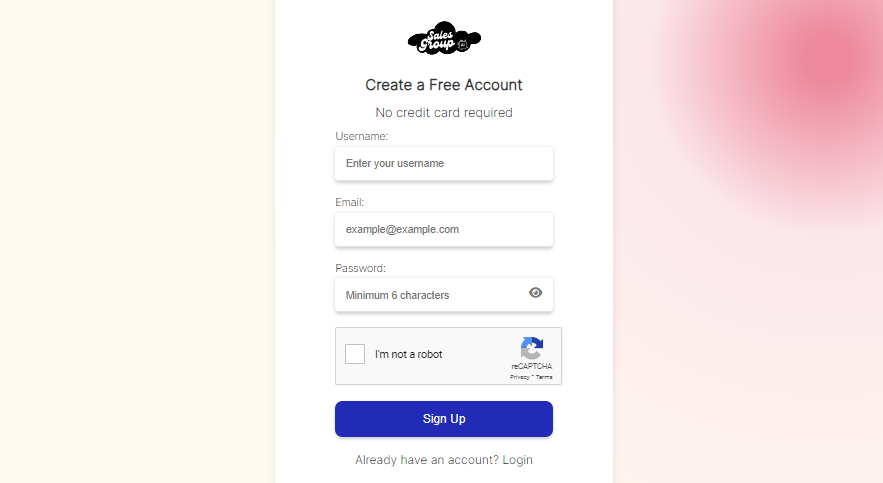
Step 1: Log in to Your SalesGroup AI Account
Start by visiting the SalesGroup AI website and logging into your account. Once logged in, you’ll be directed to the AI Playground where you can set up and customize your AI chatbot.
Step 2: Configure the AI Playground
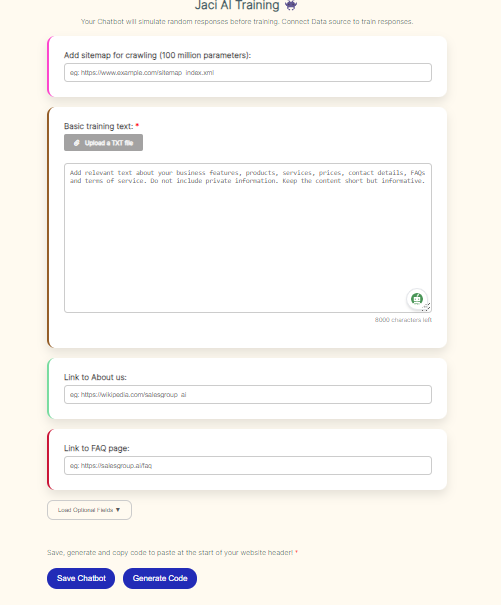
In the AI Playground, you’ll be able to adjust the chatbot’s functionality and appearance to match your brand. Here’s what to do:
- Training Data: Upload or input training data that will guide the AI in providing personalized and accurate responses to customer inquiries.
- Customization: Modify the chatbot’s appearance to align with your website’s style. You can adjust the color scheme, fonts, and button designs to ensure it blends well with your site’s look.
Take your time to ensure the settings align with your brand’s voice and customer service needs.
Related: How to add SalesGroup AI on Weebly
Step 3: Save and Generate the Integration Code
After you’ve customized the chatbot, click Save. This will automatically generate a code snippet that you’ll need to integrate the chatbot into your Jimdo site.
- Copy the code snippet for use in the next step.
Step 4: Log in to Your Jimdo Account
Now, log in to your Jimdo account by navigating to jimdo.com and entering your credentials.

Step 5: Insert the Code Snippet into Jimdo
To embed the SalesGroup AI chatbot on your Jimdo site, follow these steps:
- In the Jimdo dashboard, click on Edit Site to enter the website editor.
- Navigate to the page where you want the chatbot to appear (for site-wide display, choose a footer or a global section).
- Add a new Widget/HTML element to the page.
- In the HTML editor that appears, paste the SalesGroup AI code snippet you copied earlier.
- Save your changes.
Related: How to Install SalesGroup AI on Joomla
Step 6: Preview and Test the Chatbot
After saving, visit the live version of your Jimdo site to ensure that the chatbot is visible and functioning correctly.
- Interact with the chatbot to test its responses and ensure it’s working smoothly with your website.
Congratulations! You’ve successfully integrated the SalesGroup AI chatbot into your Jimdo website.
Conclusion
The chatbot is now ready to engage with your visitors, offering real-time assistance and enhancing their experience. If you run into any issues, double-check the code placement or revisit the customization options in the AI Playground.
