

Ticket Deflection: What it is & Importance
Ticket deflection cuts customer wait times by resolving common issues instantly through self-service channels like AI chatbots, help centers, and knowledge bases, before a ticket ever reaches a human agent.
Many customer support teams struggle with periods where ticket volume grows faster than their capacity to manage it. The queue gets longer, response times slow down, and agents spend most of their day tackling repetitive questions instead of resolving complex issues.
This imbalance makes it harder to maintain service quality and customer satisfaction. This is where ticket deflection becomes a valuable strategy.
By helping customers find answers through effective self-service options, ticket deflection reduces unnecessary tickets, lightens the load on support teams, and creates a smoother experience for everyone.
What Is Ticket Deflection?
Ticket deflection is a customer service strategy that reduces the number of support tickets submitted by helping customers resolve issues on their own before they contact the support team.
It works by guiding users toward self-service resources such as knowledge bases, FAQs, chatbots, community forums, or automated workflows so only complex or high-value issues reach human agents.
Core Components of Ticket Deflection
Effective ticket deflection relies on several interconnected components that help customers solve problems independently while reducing the volume of inbound tickets.
1. Self-Service Knowledge Base
A clear, well-structured library of articles, FAQs, and guides that customers can easily search. When resources are easy to understand and regularly updated, customers can resolve issues without contacting support.
2. AI Chatbots & Virtual Assistants
Chatbots provide instant responses to common questions, guide users to relevant resources, troubleshoot simple issues, and automate routine tasks—eliminating unnecessary tickets.
3. In-Product Tips & Onboarding Guides
Walkthroughs, tooltips, checklists, and feature tours help customers navigate the product confidently. This reduces confusion and prevents avoidable support requests.
4. Community Forums
User communities allow customers to learn from one another. Peer-to-peer problem-solving helps reduce repetitive inquiries directed to support teams.
5. Proactive Support
Proactive support focuses on identifying and addressing potential issues before they become problems. This includes:
- Sending alerts about known issues
- Sharing best practices
- Trigger-based automated messages (e.g., failed login attempts)
- Pre-emptive troubleshooting tips
By resolving issues early, proactive support minimizes the need for customers to open tickets.
6. Contextual Search
Smart search capabilities embedded in your help center, product, or chatbot ensure users can quickly find the exact solution they need, without digging through multiple pages.
7. Customer Empowerment
Customer empowerment is about equipping users with the confidence, tools, and knowledge to solve problems independently. This includes:
- Clear, user-friendly documentation
- Guided self-service workflows
- Transparent communication about product behavior
- Tools that let customers take action on their own (e.g., reset passwords, check system status, update account settings)
Empowered customers rely less on support because they trust that they can resolve most issues themselves.
Benefits of Ticket Deflection
1. Reduced Support Ticket Volume
Ticket deflection lowers the number of incoming requests by directing customers to self-service options. This frees your support team from handling repetitive, low-value inquiries so they can focus on complex or high-impact issues.
2. Faster Customer Resolutions
Self-service tools like FAQs, chatbots, and in-product guides give customers instant answers. Instead of waiting in a queue, users resolve issues in seconds improving satisfaction and reducing frustration.
3. Improved Agent Productivity
With fewer tickets to manage, agents can work more efficiently. They have more time for deep troubleshooting, personalized service, and strategic tasks, which leads to higher-quality support.
4. Lower Operational Costs
Handling fewer tickets means businesses spend less on staffing, overtime, and manual processes. Self-service scales instantly and cost-effectively, making support operations more efficient without compromising quality.
5. Stronger Customer Empowerment & Satisfaction
When customers can solve issues on their own, they feel more confident and in control. This sense of empowerment boosts overall satisfaction and strengthens customer loyalty.
Tips for Implementing Ticket Deflection
1. Build a High-Quality Knowledge Base
Start with well-written, searchable, and regularly updated help articles. Use simple language, clear steps, and visuals where necessary. The better your knowledge base, the stronger your ticket deflection.
2. Use Chatbots Strategically
Deploy chatbots to answer common questions, guide users to articles, and automate simple tasks (like password resets or order checks). Make sure the bot can escalate complex issues to a human when needed.
3. Add Self-Service Options Inside the Product
Place tooltips, walkthroughs, pop-ups, and quick-help widgets directly in your platform. This gives users instant guidance where they need it, reducing confusion and ticket submissions.
4. Practice Proactive Support
Identify recurring issues and address them before users contact support. This can include sending alerts, product tips, or status updates when you detect potential problems. Proactive communication prevents tickets before they happen.
5. Analyze Ticket Trends
Monitor which questions customers ask most often. Use this data to improve your self-service content, update chatbot flows, or add new product explanations.
6. Make Self-Service Easy to Find
Place links to your help center, FAQs, and chatbot on your website, app, onboarding emails, and product dashboards. If users can’t find self-service quickly, they will default to contacting support.
7. Keep Your Information Up to Date
Products evolve, and so should your content. Review your knowledge base and chatbot responses regularly, especially after product updates or feature changes.
8. Send Educational Emails
Use onboarding and lifecycle emails to teach customers how to navigate the product, avoid common mistakes, and leverage self-service resources. These emails reduce confusion and drastically lower ticket submissions.
9. Empower Customers with Clear Action Tools
Give customers the ability to fix common issues themselves—like updating account settings, managing subscriptions, tracking orders, or checking system status.
10. Test and Improve Continuously
Test search queries, chatbot responses, and help documentation. Gather feedback from users and agents, then refine your deflection strategy based on real customer behavior.
How to Measure Ticket Deflection
To understand whether your ticket deflection strategy is working, track these key indicators:
1. Success Rate of Self-Service
Measure how often customers find what they need through articles, FAQs, or chatbots without submitting a ticket.
Example: If 1,000 customers use the help center and 700 leave without opening a ticket, your self-service success rate is 70%.
2. Survey Feedback (Post-Self-Service)
Use quick surveys at the end of help articles or chatbot chats to ask:
- “Did this solve your problem?”
- “Was this information helpful?”
Positive responses indicate strong deflection performance.
3. Ticket Submission Drop-Off Rate
Monitor how many users begin the ticket form but don’t complete it after seeing suggested answers, chatbot prompts, or FAQ links.
A high drop-off rate means your deflection tools successfully redirected customers to solutions.
4. Reduction in Repeat Tickets
When customers learn how to solve problems themselves, repeat inquiries for the same issue decrease. This is a clear sign of improved customer empowerment.
5. Lower Volume of “Simple” or “Tier 1” Tickets
Track a reduction in basic requests like password resets, billing questions, or setup questions. These should be the first category to decline when deflection is working.
To simplify this process, you can use Tidio to get a clear view of your deflection metrics. Instead of relying on assumptions, its analytics dashboard shows how many customer questions were resolved by AI without being handed over to a human agent.
This makes it easier to measure the impact of self-service, understand what’s being deflected, and see how automation helps reduce day-to-day support workload.
Real life Examples of Ticket Deflection
1. Shopify
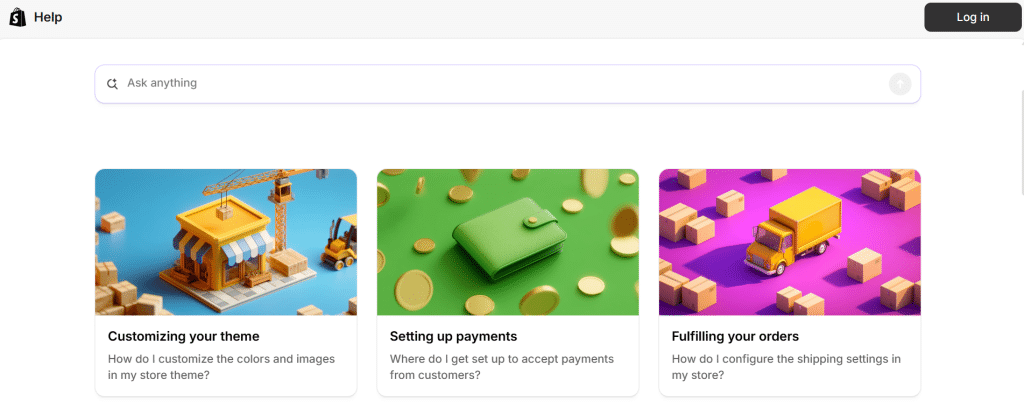
Shopify noticed that merchants were submitting a high number of repetitive tickets related to store setup, payments, and product listings. To reduce this, Shopify invested heavily in an AI-powered help center with contextual search.
When merchants type questions, the system surfaces step-by-step guides, videos, and relevant FAQs.
2. Airbnb

Airbnb handles millions of users daily, many asking about booking changes, cancellations, or refunds. Instead of routing all of these to human agents, Airbnb offers automated self-service workflows directly in the app.
For example:
- A guest can change a reservation date
- A host can modify pricing
- Users can process refunds following set rules
All without submitting a support ticket.
3. Amazon
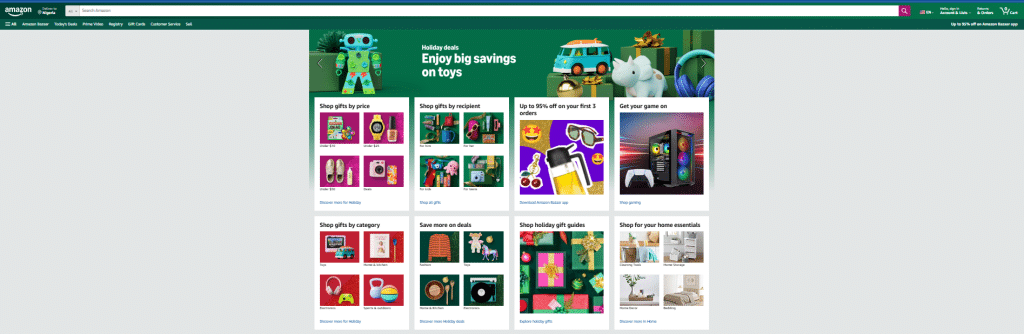
Amazon uses AI-powered chatbots to handle routine customer inquiries such as order tracking, refunds, and delivery issues. When a customer contacts support, the chatbot immediately offers self-service options:
- Track an order without waiting for an agent
- Initiate a return or refund
- Get answers to common questions about shipping, payment, or product availability
Conclusion
Implementing a robust customer service software like SalesGroup makes ticket deflection seamless, combining AI chatbots, knowledge bases, proactive messaging, and analytics in one platform.
With the right tools in place, support teams can work smarter, not harder, while customers get faster, more efficient solutions.
