

How to install SalesGroup AI on Squarespace
Welcome to SalesGroup.ai! In this guide, we’ll show you how to integrate the SalesGroup.ai AI-powered chatbot into your Squarespace website. By following these steps, you’ll have a fully functional AI assistant ready to enhance customer interactions on your Squarespace site.
Table of Contents
Step 1: Log in to your account
To begin, navigate to the SalesGroup AI website and log into your account. or read this guide on how to create an account here. Once logged in, you’ll be directed to the AI Playground. This is the central hub where you can set up and customize your AI-powered chatbot.
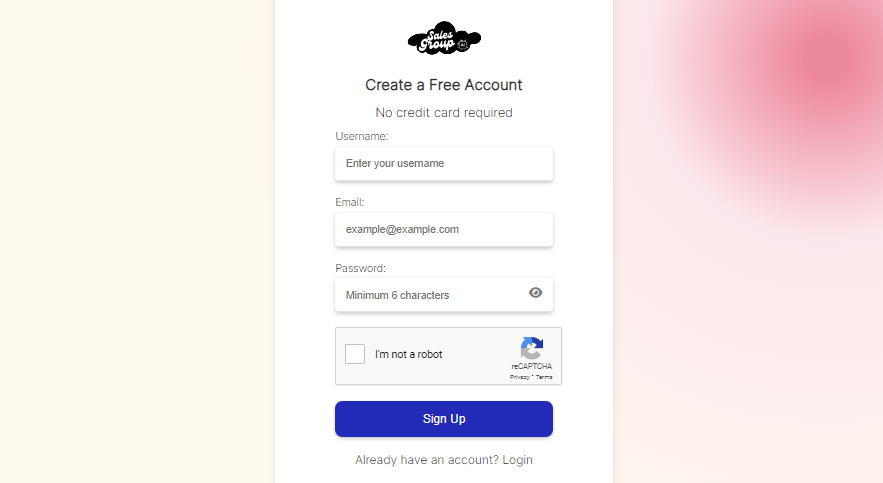
Step 2: Configure AI Playground
In the AI Playground, you’ll find options to customize your chatbot’s behavior, appearance, and functionality. Fill in the necessary information, such as:
- Training Data: Upload or enter any training data that the AI will use to interact with customers. This ensures the chatbot provides accurate and personalized responses.
- Customization: Adjust the chatbot’s look and feel to align with your brand, such as its color, button design, and other visual elements.
Take your time to review the options and tweak the settings to match your brand and customer service needs.
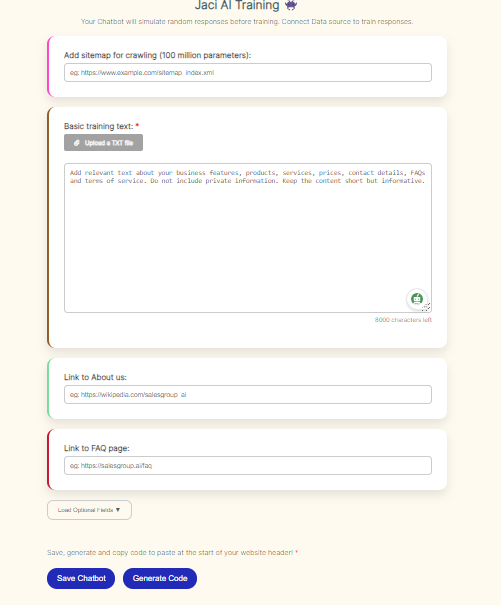
Step 3: Save and Generate the Integration Code
Once you’ve configured the chatbot with the necessary data and customizations, click Save. After saving, SalesGroup AI will automatically generate a snippet of code. This code is what you’ll need to integrate the chatbot into your Squarespace store.
- Copy the Code: Simply copy the code provided by SalesGroup AI.
Related: How to Install SalesGroup.ai on Wix
Step 4: Login to Squarespace
Now, log in to your Squarespace Admin Dashboard.
- You can access it by visiting yourdomain.squarespace.com/config and entering your login credentials.

Step 5: Add the Code Snippet to Squarespace
Once logged in to Squarespace, navigate to the section where you want to place the AI tool.
- You can add code to specific pages or across the entire website. Here are both options:
Option 1: Adding to a Specific Page
- In your Squarespace Dashboard, go to Pages.
- Choose the page where you want to embed SalesGroup AI.
- Click Edit on the page.
- Select Add Block and choose Code from the available block options.
- Paste the SalesGroup AI code snippet into the Code Block.
- Save the page by clicking Done and then Save.
Option 2: Adding Site-Wide via Code Injection
- In your Squarespace Dashboard, go to Settings.
- Select Advanced and then click on Code Injection.
- Scroll down to the Footer section and paste the SalesGroup AI code snippet here.
- Click Save.
Step 6: Preview the AI Tool on Your Website
After saving your changes, go to the live site to confirm that SalesGroup AI is displaying properly.
- Visit the page or area where you added the code and ensure that the AI tool is visible and functioning.
Related: How to Install SalesGroup.ai on Joomla
Conclusion
By following these steps, you can successfully install SalesGroup AI on your Squarespace site. Be sure to carefully copy the code snippet and choose the right location (either a specific page or site-wide) to embed the tool. Always double-check the functionality after installation to ensure everything works as expected.
