

SalesGroup AI vs. Tidio: Which Is Right for Your Business?
The rise of AI chatbots has revolutionised how businesses communicate with their customers, blending efficiency with personalization. Among the most popular solutions are SalesGroup AI and Tidio, two platforms designed to improve customer service and sales workflows. But with their distinct features and capabilities, how do you decide which one suits your business best?
In this article, we’ll dive deep into the differences between these tools, explore how they can work together, and provide step-by-step guidance on integrating them into your website.
Before we dive, Let’s have an overview of both platforms.
What is Salesgroup?
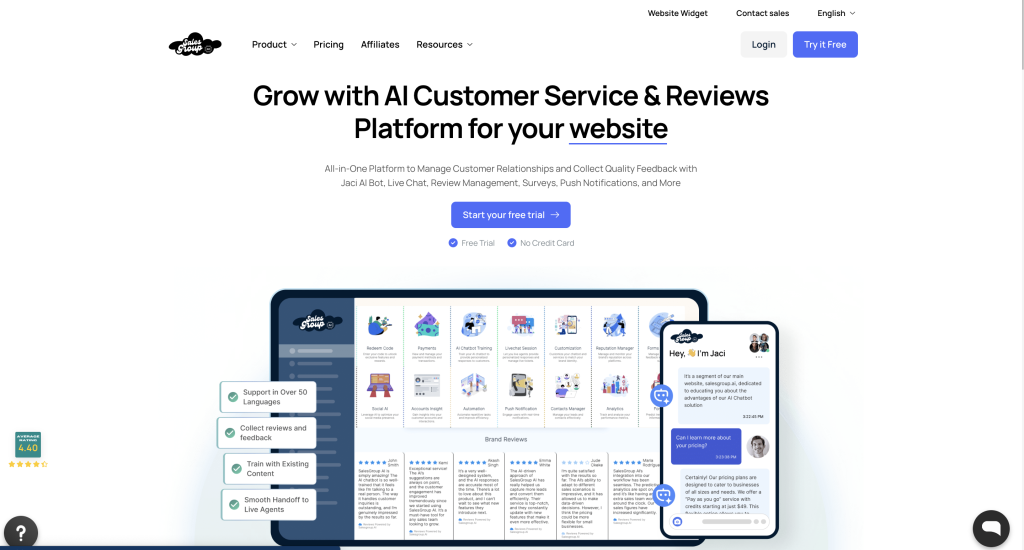
SalesGroup AI is tailored for businesses that prioritise data-driven sales strategies and automation. It is particularly beneficial for larger enterprises that require sophisticated tools to manage complex sales workflows. The platform excels in predictive analytics, lead qualification, and integration with advanced Customer Relationship Management (CRM) systems.
What is Tidio?
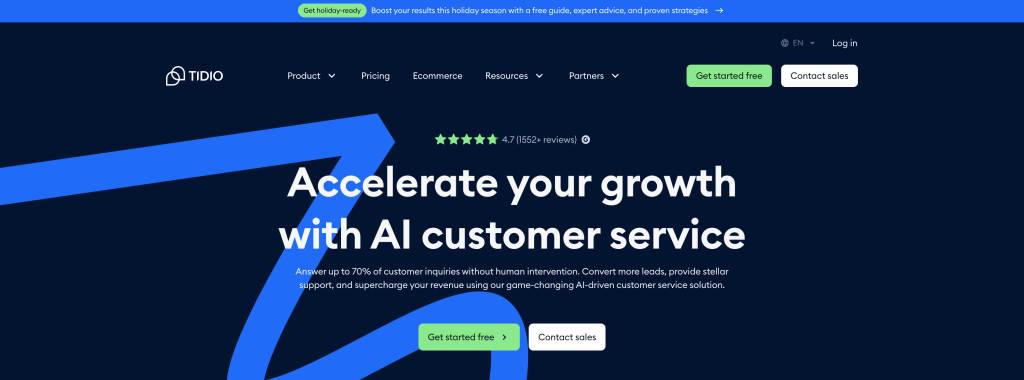
Tidio, on the other hand, focuses on real-time customer engagement through live chat and AI-powered chatbots. It is designed primarily for small to medium-sized businesses (SMBs) looking to improve their customer support without needing extensive technical knowledge. Tidio’s strengths lie in its user-friendly interface and automation capabilities, making it an attractive option for e-commerce businesses.
Related: 10 Best Tidio Alternatives and Competitors
Key Differences Between SalesGroup AI and Tidio
1. Features and Functionality
SalesGroup AI and Tidio are two distinct platforms designed to enhance business communication and sales processes, but they cater to different audiences and operational needs. Below is an in-depth comparison of their features, functionalities, target markets, and overall effectiveness.
SalesGroup AI
- Predictive Analytics: This feature allows businesses to forecast sales trends based on historical data, enabling proactive strategy adjustments.
- Lead Qualification: Automates the process of identifying high-quality leads, streamlining the sales funnel.
- Workflow management: Supports complex sales processes with tools that enhance productivity and efficiency.
- Actionable Insights: Provides detailed analytics that help refine sales strategies and improve overall performance.
Tidio
- Live Chat & AI Chatbots: Tidio offers a robust live chat feature complemented by its Lyro AI chatbot, which automates responses to common customer queries.
- Centralised Inbox: All customer interactions from various channels are consolidated into a single inbox, simplifying management for support teams.
- Customisation Options: Users can easily tailor the chat experience to align with their brand’s voice and aesthetic.
- Analytics Dashboard: Offers insights into customer interactions and satisfaction levels, helping businesses identify areas for improvement.
2. Target Audience
SalesGroup AI primarily serves larger organisations that need comprehensive solutions for managing extensive sales operations. Its features are designed to handle the complexities of enterprise-level sales processes, making it suitable for industries where data-driven decision-making is critical.Conversely, Tidio targets SMBs that require quick deployment of customer support tools. Its ease of use allows businesses without deep technical expertise to engage customers effectively. Tidio is particularly favoured by e-commerce companies looking to enhance customer service through instant communication.
3. Customization and Integrations
SalesGroup AI
- Customisation: Offers high flexibility in creating conversational workflows tailored to specific business needs. This is particularly beneficial for industries with diverse customer expectations.
- Integrations: Seamlessly connects with major CRM platforms like Salesforce and HubSpot, facilitating data synchronization across systems.
Tidio
- Simplified Customisation: Provides pre-designed templates that allow users to quickly set up functional chatbots without extensive customisation.
- E-Commerce Integrations: It integrates effectively with platforms such as Shopify and WooCommerce, making it ideal for online retailers looking to enhance customer engagement.
4. Scalability
SalesGroup AI is built for growth, capable of adapting to increasing complexity as businesses expand or experience higher volumes of customer interactions. Its advanced analytics ensure that companies can scale operations smoothly while maintaining performance.
In contrast, Tidio is best suited for businesses with steady operations. While it may not offer the same level of advanced capabilities as SalesGroup AI, it provides reliable solutions for SMBs focused on maintaining high-quality customer interactions without the need for extensive scaling.
Pricing Comparison: SalesGroup AI vs. Tidio
SalesGroup AI Pricing Plans
SalesGroup AI offers a structured pricing model with multiple tiers designed to accommodate various business needs. Here’s a breakdown of their pricing plans:
- Free Forever Plan
- Cost: $0/month
- Credits: 50 credits monthly
- Features:
- Live chat
- File upload
- Open widget
- Meeting scheduler
- AI-powered chatbot
- Starter Plan
- Cost: $39/month
- Credits: 2,000 credits
- Features:
- Everything in Free Forever
- AI copilot
- E-commerce product card
- Push notifications
- Analytics
- Integrations
- Ticketing & Help Desk
- Quick answers
- Report a bug feature
- Suggest a feature
- Automations
- Forms & surveys
- Smart triggers
- Website scan
- Floating FAQs
- Multi-language support
- Agent Assistant AI
- Handoff to Live Agent
- Import Google reviews
- Pay-As-You-Go Plan
- Cost: Starts at $99/month (for 5,000 credits)
- Features:
- Everything in the Starter Plan plus:
- Smart triggers
- Custom branding
- Customer reviews widget
- Unlimited Agent Assistant AI and handoff to Live Agent
- Forecasting automations
- Unlimited agent accounts and conversations
- Remove “Powered by SalesGroup”
- Enterprise Plan
- Cost: Starts at $1,999/month (custom pricing based on needs)
- Features:
- Everything in Pay-As-You-Go Plan plus:
- Workspace setup
- Precision setup and analysis & monitoring tools
- Rapid improvements
- Dedicated success manager
- White label and custom domain options
Tidio Pricing Plans
Tidio also provides a tiered pricing structure, primarily aimed at small to medium-sized businesses:
- Free Plan
- Cost: Free forever.
- Features:
- Basic live chat functionalities.
- Starter Plan
- Cost: $39/month.
- Credits: Up to 2,000 handled conversations.
- Features:
- Everything in Free Plan.
- AI copilot.
- E-commerce product card.
- Push notifications.
- Analytics.
- Integrations.
- Communicator Plan
- Cost: $59/month.
- Credits: Up to 2,000 handled conversations.
- Features:
- Everything in Starter Plan plus advanced analytics and no Tidio branding.
- Growth Plan
- Cost: Starts at $749/month (custom pricing).
- Features:
- Tailored solutions for larger businesses with dedicated support.
- Plus Plan
- Cost: Starts at $2,999/month (custom pricing).
- Features:
- Unlimited handled conversations and premium support.
Comparative Analysis
| Feature/Plan | SalesGroup AI | Tidio |
|---|---|---|
| Free Trial | Free Forever (50 credits) | Free Forever |
| Starter Plan | $39/month (2,000 credits) | $39/month (2,000 conversations) |
| Pay-As-You-Go | Starts at $99/month (5,000 credits) | Not applicable |
| Enterprise Plan | Starts at $1,999/month | Growth starts at $749/month |
| Chatbot Features | Included in all plans | Included in Starter and higher |
| Custom Branding | Available in Pay-As-You-Go and Enterprise plans | Available in higher tiers |
| Multi-Language Support | Yes | Yes |
| Dedicated Support | Yes (Enterprise) | Yes (Growth and Plus Plans) |
How to Choose Between SalesGroup AI and Tidio
When selecting between SalesGroup AI and Tidio, it’s essential to align your choice with your business objectives, budget, team expertise, and future goals. Here’s a refined look at how to make the best decision for your organization.
1. Understand Your Business Needs
Begin by assessing your primary objectives. If your focus is on sales optimization and leveraging data-driven decision-making, SalesGroup AI is the ideal choice. It provides advanced analytics and lead qualification features tailored for businesses aiming to enhance their sales processes. Conversely, if your main goal is to improve customer support through live chat and instant communication, Tidio is likely the better fit. Its real-time engagement capabilities are designed to enhance customer interactions seamlessly.
2. Budget Considerations
Budget plays a crucial role in your decision-making process. SalesGroup AI’s pricing reflects its high-end features and capabilities, which may be more suitable for larger businesses with substantial budgets. If you face budget constraints, Tidio offers excellent value for basic to intermediate chatbot needs with its competitive pricing structure, including a free plan that allows businesses to start without any financial commitment.
3. Team Expertise
Consider the technical expertise of your team. SalesGroup AI typically requires a more technical setup and ongoing maintenance, making it suitable for organizations with tech-savvy personnel who can manage complex systems. In contrast, Tidio is designed for ease of use, ensuring that even non-technical users can deploy it efficiently. This user-friendly approach makes Tidio an attractive option for smaller teams or businesses without dedicated IT resources.
4. Future Goals
Think about your long-term growth plans. For businesses aiming for extensive growth and analytics-driven sales strategies, SalesGroup AI offers more opportunities to scale with its robust features and customization options. However, if simplicity and ease of deployment are your priorities, Tidio’s intuitive platform may be sufficient to meet your immediate needs while allowing for gradual growth.
How SalesGroup AI and Tidio Can Work Together
For organizations looking to maximize their customer interaction strategy, combining both tools can be highly effective. While Tidio excels at managing real-time inquiries and supporting multichannel communication, SalesGroup AI can handle more complex tasks such as lead qualification and predictive analytics.For example:
- Use Tidio to manage FAQs and provide immediate support on your website or social media channels. Its AI-powered chatbots can automate responses to common inquiries, ensuring that customers receive timely assistance.
- Deploy SalesGroup AI for nurturing leads, analyzing customer behavior, and closing deals. Its advanced analytics can help identify trends and inform strategic decisions based on comprehensive data insights.
Related: 10 Best Tawk.to Alternatives and Competitors
How to Add SalesGroup AI and Tidio to Your Website
Integrating SalesGroup AI and Tidio into your website can significantly enhance customer engagement and streamline support processes. Below are step-by-step guides for adding each platform to your site.
Adding SalesGroup AI to Your Website
- Sign Up for an Account:
- Visit the SalesGroup AI website and create an account. Choose a pricing plan that suits your business needs.
- Access the Integration Dashboard:
- Once logged in, navigate to the integration section of your dashboard. This is where you will find options for adding the chatbot to your website.
- Configure Your Chatbot:
- Set up your chatbot by customizing its appearance, conversation flows, and responses. You can create specific dialogues for common inquiries and define decision trees to guide user interactions.
- Generate the Integration Code:
- After configuring your chatbot, you will receive a code snippet (usually JavaScript) that needs to be added to your website. This code enables the chatbot functionality on your site.
- Insert the Code into Your Website:
- Copy the provided code snippet and paste it into the HTML of your website, typically just before the closing
</body>tag or in the header section. If you’re using a content management system (CMS) like WordPress, you may need to use a plugin or theme settings to add custom scripts.
- Copy the provided code snippet and paste it into the HTML of your website, typically just before the closing
- Test Your Chatbot:
- After integrating the code, visit your website to ensure that the chatbot appears and functions correctly. Test various interactions to confirm that it responds as expected.
- Train Your Chatbot:
- Continuously improve your chatbot’s performance by training it with new data, FAQs, and user interactions. Regular updates will enhance its ability to provide accurate responses.
Adding Tidio to Your Website
- Create a Tidio Account:
- Go to the Tidio website and sign up for an account. You can start with their free plan or select a paid option based on your needs.
- Access the Dashboard:
- Once registered, log into your Tidio dashboard where you can configure settings and customize your chat widget.
- Customize Your Chat Widget:
- Use Tidio’s intuitive interface to design your chat widget. You can choose colors, greetings, and automated responses that align with your brand identity.
- Get the Integration Code:
- In the settings menu, find the option for integration or installation. Tidio will provide you with a code snippet that you’ll need to add to your website.
- Add Code to Your Website:
- Copy the integration code and paste it into your website’s HTML, just before the closing
</body>tag or in a suitable location within your CMS’s settings.
- Copy the integration code and paste it into your website’s HTML, just before the closing
- Publish Changes:
- Save changes on your website and publish them so that visitors can see the chat widget live.
- Test Functionality:
- Visit your site to ensure that Tidio is functioning properly. Test various scenarios to check if it responds correctly and engages users effectively.
- Optimize Based on Feedback:
- Monitor user interactions through Tidio’s analytics dashboard and make adjustments based on feedback and performance metrics.
Conclusion
Choosing between SalesGroup AI, Tidio, or both depends on your business needs, budget, and goals. If your focus is on sales optimization and data-driven strategies, SalesGroup AI is the superior choice, offering advanced analytics and lead qualification features. Conversely, if enhancing customer support through real-time engagement is your priority, Tidio provides an effective solution.
For optimal results, consider leveraging both platforms to maximize sales potential while ensuring excellent customer service. Ultimately, prioritizing SalesGroup AI will position your business for long-term growth and success.
