

What Is Help Desk Workflow? How to Optimize
In this Era, customers expect quick and personalized responses. If a support team is overwhelmed or disorganized, it can lead to longer wait times and frustrated customers. Help desk workflows provide a solution by organizing incoming tickets, assigning them based on predefined rules, and guiding agents on how to resolve them efficiently. They ensure consistency in service delivery and empower teams to scale their support without sacrificing quality.
When used correctly, help desk workflows not only solve problems but also help identify patterns. These patterns provide valuable insights for product teams, sales, and other departments. For instance, if many users are reporting a particular bug or requesting a new feature, your business can act quickly to address it.
In this artcle we will explore the components of a help desk workflow, see some real-life examples, and learn how to create one that works for your business.
What Is Help Desk Workflow?
Help desk workflow is the backbone of any successful customer support operation. It refers to the sequence of steps support teams follow to manage, resolve, and track customer inquiries. Think of it as a roadmap for handling customer issues, ensuring no request falls through the cracks. A well-designed workflow streamlines support, boosts agent productivity, and enhances customer satisfaction by making responses more predictable and professional.
Why a Help Desk Workflow Matters
1. Enhanced Efficiency
A structured help desk workflow reduces the time it takes to resolve issues. It eliminates the guesswork from customer service by providing a step-by-step framework. Agents spend less time wondering what to do next and more time delivering quality support. With clear processes in place, your team can handle a higher volume of tickets without sacrificing service quality.
2. Consistency and Standardization
Every customer receives the same high-quality support experience, regardless of the agent handling their ticket. Standardization ensures that all team members follow the same protocols, which minimizes errors and miscommunication. This leads to fewer escalations and a more predictable support experience.
3. Improved Customer Satisfaction
Customers want quick, accurate, and respectful responses to their issues. A streamlined workflow helps deliver just that. When tickets are resolved promptly and thoroughly, it reflects positively on your brand. Additionally, proactive follow-ups can increase customer loyalty and trust.
4. Better Insights
Help desk workflows enable data collection at every step. This data can be analyzed to identify trends, such as common problems, peak support times, and frequently asked questions. These insights can inform decisions across the company—from product development to marketing campaigns.
5. Scalability
As your customer base grows, so will the volume of support requests. A solid workflow helps you scale your operations by making it easy to train new agents, manage large ticket volumes, and maintain service quality. It allows your support infrastructure to grow with your business.
Key Components of a Help Desk Workflow
A strong help desk workflow typically consists of several interconnected stages. Each stage plays a critical role in ensuring smooth and efficient customer support.
1. Ticket Creation
The workflow begins when a support ticket is created. This can happen through various channels such as emails, live chats, contact forms, or social media. The system captures all essential information, including customer details, issue description, urgency, and any relevant attachments. This foundational step sets the stage for accurate categorization and efficient resolution.
2. Categorization and Prioritization
Once created, each ticket is categorized based on its type—like technical, billing, or general inquiry. Prioritization involves assigning a level of urgency to the ticket. High-priority issues, such as service outages, are escalated for faster resolution, while low-priority ones are queued accordingly. This step ensures that critical issues receive immediate attention.
3. Assignment
Tickets are routed to the most appropriate agents or departments. This can be done manually or automatically using predefined rules based on agent skills, availability, or issue type. Proper assignment is crucial because it ensures the ticket is handled by someone with the right expertise, reducing resolution time and improving customer satisfaction.
4. Investigation and Resolution
This is where agents analyze the issue, engage with the customer if necessary, and troubleshoot the problem. Depending on complexity, the ticket might be resolved instantly or escalated to a more specialized team. Documentation during this phase is important for internal tracking and future reference.
5. Closure and Feedback
After the issue is resolved, the ticket is marked as closed. Many businesses include a follow-up email or survey asking customers about their experience. Feedback is critical for identifying improvement opportunities in your process or support team performance.
6. Documentation and Reporting
Every resolved ticket contributes to the company’s knowledge base. By documenting resolutions and common issues, you build a resource that can assist in future support interactions. This stage also involves generating reports that track performance metrics like average resolution time, agent productivity, and customer satisfaction.
Common Help Desk Workflow Examples
1. Password Reset Request
- A customer submits a password reset form via the website.
- The system generates a support ticket and assigns it to a Tier 1 agent.
- The agent verifies the user’s identity and sends the reset link.
- Follow-up is conducted to confirm success.
- The ticket is closed and feedback is requested.
2. Product Bug Report
- A user contacts support via chat to report a bug.
- The system categorizes it as a technical issue and flags it high priority.
- A Tier 2 agent investigates and documents the findings.
- The ticket is escalated to the development team.
- After the fix, the agent informs the customer and closes the ticket.
3. Billing Inquiry
- A customer sends an email about a confusing charge.
- The ticket is tagged “Billing” and sent to the finance team.
- An agent explains the charge and provides documentation.
- The agent offers additional help.
- The ticket is closed with a satisfaction survey.
How to Set Up a Help Desk Workflow
Creating an efficient workflow doesn’t happen overnight. Here’s how you can build one step by step:
1. Identify Ticket Types
Start by reviewing historical support data or brainstorming common issues with your team. Group them into categories like login issues, refunds, or feature requests. This helps with routing and tracking.
2. Define Prioritization Criteria
Create rules for assigning urgency. For instance, if the entire platform is down, that’s a high-priority issue. If a user needs clarification on a feature, it might be low priority. Establish clear guidelines so agents know how to tag tickets.
3. Assign Responsibilities
Determine roles and responsibilities for each ticket type. For example, your front-line agents might handle FAQs while technical staff take on bug reports. Clearly defined roles prevent confusion and improve accountability.
4. Automate Routine Tasks
Use your help desk software to automate processes such as ticket tagging, assignment, and follow-ups. Automation increases speed and accuracy while freeing up agents for more complex tasks.
5. Build Response Templates
Templates save time and create consistency. Write clear, friendly templates for common issues like password resets or shipping inquiries. These help maintain tone and clarity across the team.
6. Track, Measure, and Refine
Monitor KPIs such as average handling time, CSAT scores, and ticket volume. Regularly evaluate your workflow and make adjustments based on data and feedback from agents and customers.
Help Desk Workflow Tools
1. Salesgroup.ai
Salesgroup.ai is an AI-powered support platform designed to optimize and automate help desk workflows. Its intelligent routing assigns tickets based on historical data, agent performance, and customer behavior. Salesgroup.ai doesn’t just resolve issues—it anticipates them, using trend analysis and predictive support features to catch problems before they affect the user experience.
Support teams using Salesgroup.ai benefit from a central dashboard, seamless CRM integration, and a suite of workflow tools. These include automated follow-ups, ticket categorization, and real-time performance tracking. Salesgroup.ai empowers support teams to be proactive, not just reactive.

2. Zendesk
Zendesk is a comprehensive customer support platform with robust workflow automation. With features like macros, triggers, and SLAs, teams can customize workflows to fit specific support models. It supports multi-channel communication, allowing tickets to come in through email, chat, phone, or social media.
The intuitive UI and vast ecosystem of integrations make Zendesk a favorite among growing businesses. Its reporting capabilities provide insight into agent efficiency and customer satisfaction.

3. Drift
Drift is tailored for companies that rely on real-time communication. It combines live chat with AI bots to deliver instant support. Its workflow builder helps automate ticket routing, escalation, and follow-up. Drift integrates well with marketing and sales tools, turning support interactions into revenue opportunities.
It’s ideal for businesses aiming to shorten resolution times and create a more conversational support experience.

4. Tidio
Tidio is a cost-effective, multi-channel support tool that merges chat, email, and bots into one interface. Its drag-and-drop workflow builder enables easy automation of repetitive tasks. Tidio is especially popular with eCommerce brands thanks to its seamless integrations with platforms like Shopify.
Its simplicity and affordability make it a great option for small to medium-sized businesses.

5. Freshdesk
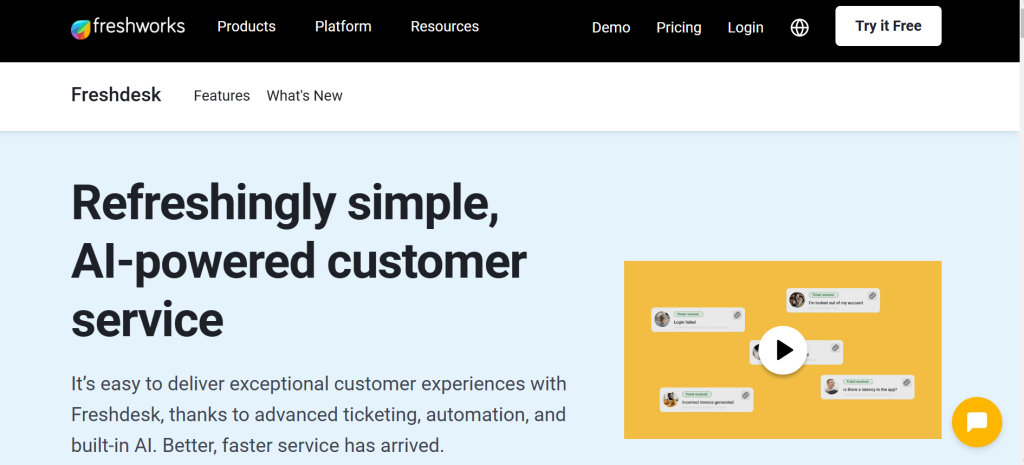
Freshdesk offers extensive workflow customization. You can set up automatic ticket routing, SLA alerts, and time-triggered actions. It also supports team collaboration features like shared inboxes, internal notes, and collision detection.
Freshdesk is perfect for organizations that want an all-in-one tool with flexibility and scalability.
6. Zoho Desk
Zoho Desk comes with a feature called Blueprint that allows you to visually map out the entire ticket lifecycle. This helps standardize responses and ensure compliance with internal protocols. It also includes AI capabilities like sentiment analysis and smart ticket suggestions.
Zoho Desk is ideal for data-driven teams that need powerful analytics and custom reporting.
Conclusion
A help desk workflow isn’t just a process—it’s a commitment to better service. It ensures that every customer receives timely, accurate, and respectful support. By building clear workflows, empowering agents with the right tools, and continuously refining the process, your business can scale support without compromising on quality.
Investing in tools like Salesgroup.ai, Zendesk, and Drift can help you bring structure, speed, and strategy to your help desk operations. As you grow, your workflow evolves—but your commitment to great customer experience remains constant.
