

10 best Online Live Chat Apps for Customer Service in 2026
Customer expectations are at an all-time high in today’s fast-paced digital world. People want immediate responses, personalized experiences, and seamless communication when interacting with businesses. To meet these demands, companies must adopt real-time communication strategies, including live chat apps.
These tools have become essential for improving customer engagement, quickly resolving issues, and boosting sales. By integrating live chat functionalities, businesses not only provide instant support but also create a more personalized and efficient experience for their audience.

How Live Chat Works
Live chat operates by embedding a chat widget on selected pages of a website. When customers have questions or need support, they can initiate a chat session by clicking on the chat icon, which opens a dialogue box.
Users simply type their inquiries into this box and send them, receiving responses from customer service agents or automated systems in real time.
The implementation of live chat software is straightforward. Businesses typically evaluate various vendors to find one that suits their needs and budget. After subscribing, they integrate the provided code into their website’s backend, allowing the chat feature to appear on designated pages.
How to Choose the Best Live Chat App
Selecting the right live chat app for your business is a crucial decision that can significantly impact customer satisfaction, operational efficiency, and overall business success. Below are the key factors to consider when choosing a live chat app.
1. Integration Capabilities
A live chat app should seamlessly integrate with your existing tools, such as CRM systems, email marketing platforms, and help desk software. This integration ensures that customer data flows smoothly between systems, enabling agents to access relevant information quickly and provide personalised support.
For example, platforms like Salesgroup allow integration with popular tools like Zapier, streamlining workflows and enhancing productivity. Additionally, omnichannel integration capabilities can unify communication across multiple platforms, such as websites, social media channels, and mobile apps.
2. Customization Options
Brand consistency is critical in building customer trust. Look for a live chat app that allows you to customise the chat interface to reflect your brand’s colors, fonts, and overall design theme.
Customization ensures that the chat widget blends seamlessly with your website or app, creating a cohesive user experience. Many platforms also allow businesses to tailor automated responses and greetings based on customer behavior or location.
3. Automation Features
Automation is a game-changer in customer service. Many live chat apps include AI-powered chatbots that can handle routine queries, such as FAQs or order tracking, without human intervention.
These bots not only reduce the workload on support teams but also ensure customers receive instant responses 24/7. Advanced platforms like Drift and Intercom offer features like conversational AI and natural language processing (NLP) to enhance automation capabilities. However, it’s essential to strike a balance between automation and human interaction for more complex issues.
4. Scalability
As your business grows, so will your customer base and support requirements. It’s vital to choose a live chat app that can scale with your business without compromising performance. Scalable platforms allow you to add more agents or advanced features as needed without requiring a complete system overhaul.
For instance, apps like Freshchat are designed to accommodate businesses of all sizes by offering flexible plans and modular features.
5. Reporting and Analytics
Data-driven decision-making is key to improving customer service operations. A robust live chat app should provide detailed reporting and analytics features that track metrics such as response times, chat volume, agent performance, and customer satisfaction scores.
These insights help businesses identify trends, optimize workflows, and improve service quality over time. Real-time analytics can also assist managers in monitoring ongoing chats and providing immediate feedback to agents.
6. Security and Compliance
Data protection is non-negotiable in today’s regulatory environment. Ensure the live chat app complies with relevant privacy laws such as GDPR or CCPA and offers features like data encryption and secure storage.
Privacy-aware integrations are particularly important for businesses handling sensitive customer information. Platforms like LiveChat emphasize compliance by adhering to strict security standards while maintaining seamless integrations.
Best Live Chat Apps for Customer Service in 2026
1. SalesGroup Live Chat
Key Features:

- Real-Time Communication: SalesGroup Live Chat enables instant interactions between customers and support agents, ensuring that queries are addressed promptly.
- Seamless Integration: The platform integrates effortlessly with various third-party applications, including CRM systems and social media platforms, allowing businesses to streamline their operations.
- Personalized Support Options: By leveraging customer data from integrated systems, SalesGroup empowers agents to offer tailored support based on individual customer histories and preferences.
- AI-Powered Capabilities: With features like AI chatbots and smart ticketing, SalesGroup enhances efficiency by automating routine inquiries while allowing for human intervention when necessary.
- Built-In Review System: This feature helps businesses gather genuine customer feedback, enhancing trust and reputation.
SalesGroup Live Chat stands out due to its intuitive interface and strong integration capabilities, making it the ideal choice for companies aiming to enhance customer engagement and streamline support processes.
2. Intercom

Key Features:
- AI-Powered Chatbots: Intercom’s intelligent bots can handle a variety of customer inquiries, providing instant responses and freeing up agents for more complex issues.
- Automated Workflows: The platform allows businesses to set up automated workflows that guide customers through common processes or queries.
- In-Depth Analytics: Intercom provides detailed insights into customer interactions, enabling businesses to track performance metrics and optimize their support strategies.
Intercom excels in blending customer engagement with marketing automation, making it a robust choice for businesses looking to enhance their overall customer experience.
3. LiveChat

Key Features:
- Multichannel Support: LiveChat allows businesses to manage communications across various channels, including web chat, social media, and email.
- Detailed Reporting: The platform offers comprehensive analytics that help businesses understand customer behavior and improve service quality.
- Mobile App Support: With a dedicated mobile app, agents can respond to customer inquiries on-the-go, ensuring continuous support availability.
LiveChat is known for its user-friendly interface and powerful customer engagement tools, making it a solid option for businesses of all sizes.
4. Zendesk Chat

Key Features:
- Integration with Zendesk Suite: Zendesk Chat integrates seamlessly with other products in the Zendesk ecosystem, providing a cohesive support experience.
- Proactive Chat Triggers: Businesses can set up proactive chat invitations based on user behavior, increasing engagement rates.
- Chat Analytics: The platform provides insights into chat performance and customer satisfaction metrics.
Zendesk Chat is particularly favored by existing Zendesk users due to its seamless integration capabilities and comprehensive feature set.
5. Drift

Key Features:
- Conversational Marketing Tools: Drift focuses on converting website visitors into leads through personalized communication strategies.
- AI Chatbot Integration: The platform’s AI capabilities allow for automated responses while maintaining a conversational tone.
- Lead Generation Tools: Drift includes features designed specifically for capturing leads and nurturing them through the sales funnel.
Drift excels in creating personalized experiences that drive conversions, making it an excellent choice for sales-focused organizations.
6. Freshchat

Key Features:
- AI-Powered Bots: Freshchat’s bots can handle common queries automatically, improving response times and reducing agent workload.
- Multi-Language Support: This feature allows businesses to cater to a global audience by providing support in multiple languages.
- Contextual Customer Data: Freshchat provides agents with relevant customer information during chats, enhancing personalization efforts.
Freshchat offers a complete solution for businesses looking to deliver scalable customer support while maintaining high service quality.
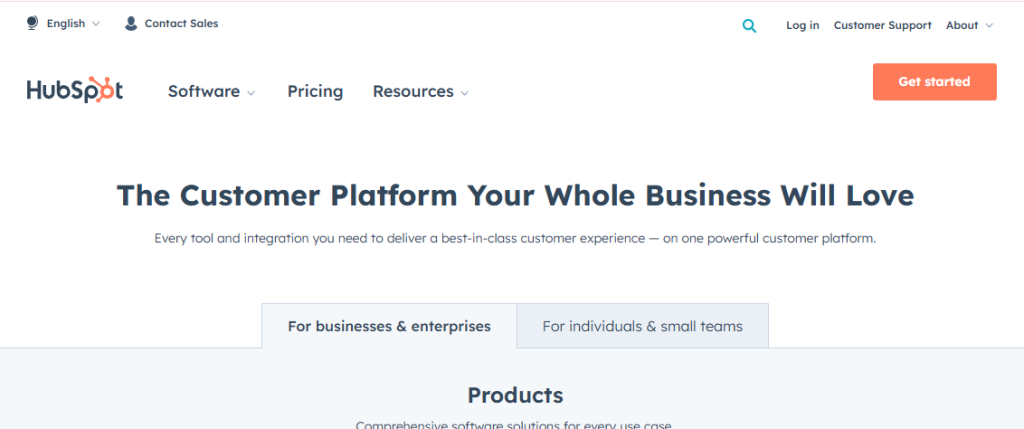
7. HubSpot Live Chat
Key Features:
- CRM Integration: HubSpot’s live chat feature integrates perfectly with its CRM system, allowing agents to access valuable customer data during interactions.
- Automated Responses: Businesses can set up automated replies for common inquiries, ensuring customers receive timely assistance even when agents are busy.
- Customizable Chat Widget: The chat widget can be tailored to match the brand’s visual identity, enhancing consistency across channels.
HubSpot Live Chat is ideal for inbound marketing strategies due to its seamless integration with HubSpot’s powerful CRM tools.
8. Tidio

Key Features:
- Multichannel Messaging: Tidio allows businesses to communicate with customers via various channels from a single platform.
- AI-Driven Bots: The platform features intelligent bots that can handle routine inquiries efficiently.
- Email Integration: Tidio integrates with email systems, enabling a unified communication approach across channels.
Tidio is a budget-friendly option that provides excellent automation and customer engagement features without compromising quality.
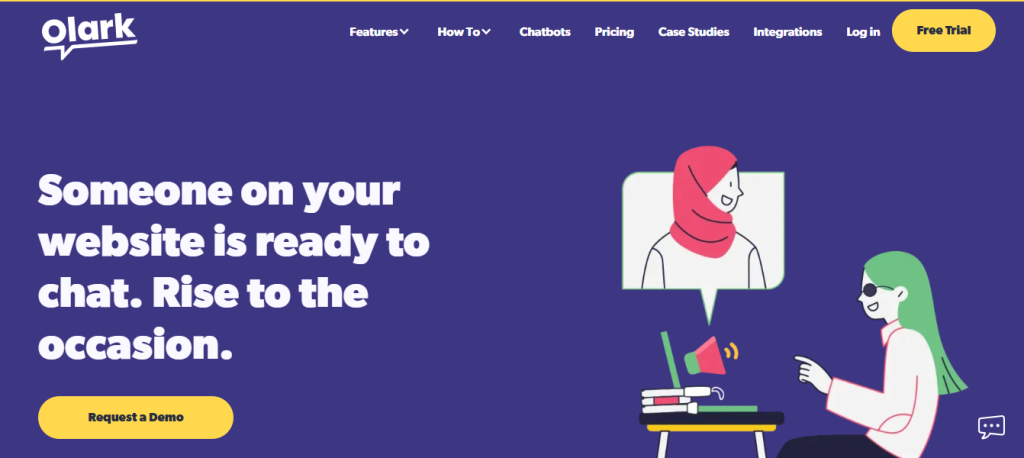
9. Olark
Key Features:
- Real-Time Visitor Monitoring: Olark enables agents to see who is visiting their site in real time, allowing for proactive engagement opportunities.
- Customizable Chatbox: Businesses can customize the appearance of the chatbox to align with their brand identity easily.
- Comprehensive Reporting: The platform offers detailed analytics on chat performance and customer interactions.
Olark is straightforward yet effective, making it an excellent choice for small and medium-sized enterprises seeking reliable live chat solutions.
10. Chatbot.com

Key Features:
24/7 Customer Support Automation: Businesses can automate support functions around the clock using intelligent bots
Drag-and-Drop Chatbot Builder: This user-friendly feature allows businesses to create custom bots without any coding knowledge required.
Natural Language Processing (NLP): The platform uses NLP technology to understand and respond to customer inquiries more effectively.
Related: 10 Best Chat Widgets for your Website [Free & Paid]
How to Add Live Chat to Your Website: SalesGroup Live Chat as a Case Study
Integrating a live chat app into your website is a straightforward process that can significantly enhance customer support. Below is a step-by-step guide using SalesGroup Live Chat as an example.
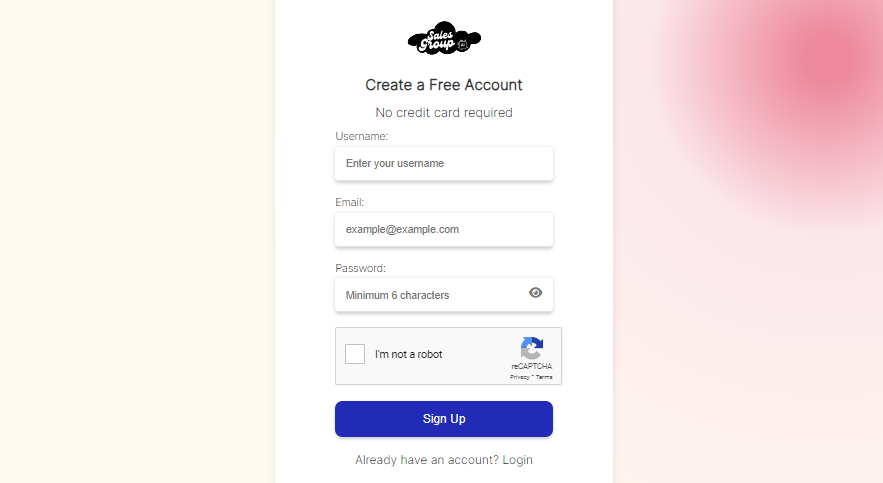
Step 1: Sign Up for SalesGroup Live Chat
Visit the SalesGroup website and create an account. Choose a plan that fits your business needs.
Step 2: Customize the Chat Widget
Once logged in, navigate to the customization section. Select colors, fonts, and other design elements to align with your brand identity.
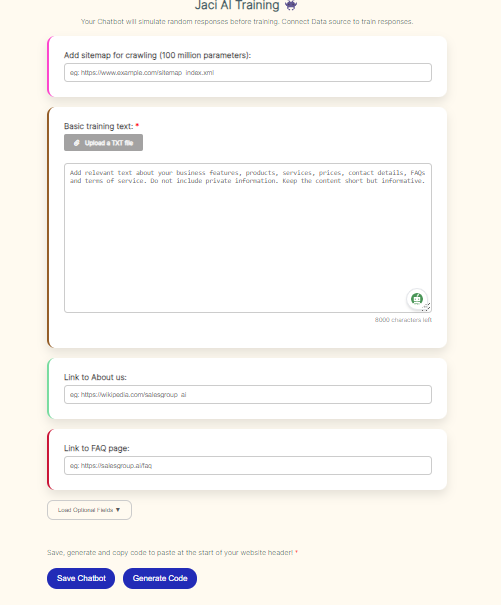
Step 3: Copy the Integration Code
After customizing the widget, SalesGroup Live Chat will generate an HTML code snippet.
Step 4: Embed the Code on Your Website
Access your website’s backend and paste the code snippet in the appropriate section, usually before the closing tag.
Step 5: Test the Integration
Ensure the chat widget appears on your website and functions properly. Test various features like automated responses and agent assignment.
Step 6: Train Your Support Team
Provide training for your customer service agents to familiarize them with the platform’s features.
Step 7: Monitor Performance
Use SalesGroup’s analytics to track chat performance and identify areas for improvement.
Conclusion
Live chat apps are essential tools for businesses seeking to enhance customer service and engagement. By carefully choosing a platform that meets your business needs and integrating it properly, you can provide fast, personalized support that improves customer satisfaction and loyalty.
Whether you opt for SalesGroup Live Chat or another leading solution, the key is to leverage the full capabilities of the platform to create meaningful interactions with your audience.
