

How to Integrate Jaci AI with Telegram
Integrating Jaci AI with Telegram allows you to enhance your customer engagement and provide seamless support through an AI-powered bot. Follow the step-by-step guide below to set up your Telegram AI support bot using Jaci AI.

Step 1: Generate Your Telegram Bot Token
- Open the Telegram app and search for the BotFather.
- Start a chat with BotFather and use the command
/newbotto create a new bot. - Follow the prompts to name your bot and set a unique username.
- Once created, BotFather will provide you with a Bot Token. Save this token for the next steps.
Step 2: Access Jaci AI Social Center

- Log in to your Jaci AI dashboard.
- Navigate to the Social AI section, where you can connect your social media accounts.
- Select Telegram AI Support Bot from the integration options.
Read more on How to open an account with Salesgroup AI
Step 3: Enter Your Bot Token
- In the Telegram AI Support Bot setup panel:
- Locate the Bot Token input field.
- Paste the token you obtained from BotFather into this field.
- Click Save and Start Bot to activate the integration.
- Alternatively, use the Start Bot button if the token has already been saved.
Step 4: Test the Integration
- Open Telegram and search for your bot using the username you created.
- Start a chat with the bot to confirm it responds as expected.
- If the bot doesn’t respond, ensure the token is correct and click Stop Bot followed by Start Bot to reset the connection.
Step 5: Customize Your Bot
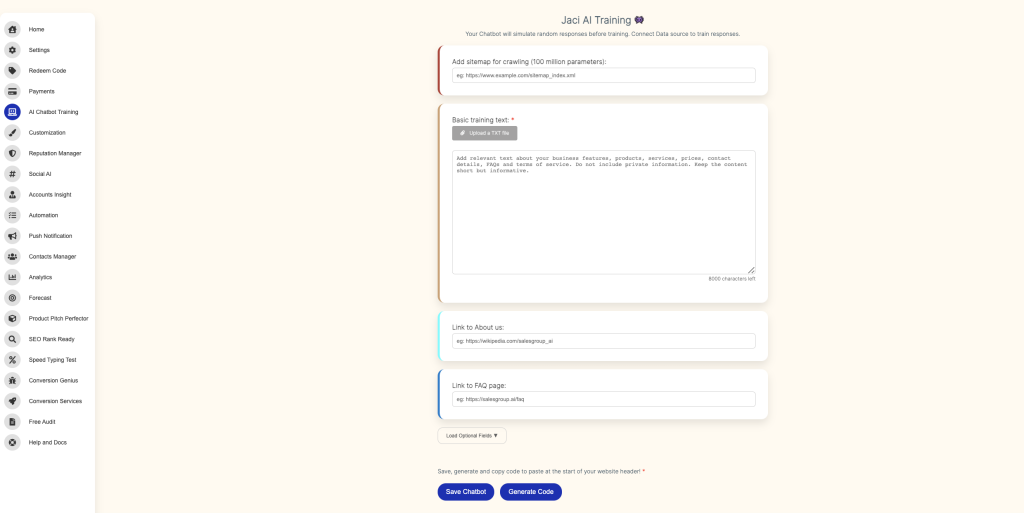
- Use the Jaci AI platform to configure the bot’s responses and workflows.
- Add FAQs, automated replies, and integration with other Jaci AI tools for a richer customer experience.
- Regularly monitor bot interactions via the Jaci AI dashboard to ensure optimal performance.
Troubleshooting Tips
- Token Error: If the token is invalid, generate a new one using BotFather and repeat the steps.
- Bot Not Responding: Verify that the bot is active in the Telegram settings and restart the bot in the Jaci AI panel.
- Customization Issues: Ensure that your bot’s permissions and settings in Telegram allow for the features you’ve enabled in Jaci AI.
By integrating Jaci AI with Telegram, you can automate customer interactions, boost engagement, and streamline support processes. With just a few steps, you’ll have a powerful AI assistant operating directly within Telegram to meet your business needs.
