

Live Chat vs Chatbot: Which is Better in 2026
As a customer service manager, your primary focus is ensuring customers have the best possible experience. In your quest to find the perfect tools for improving customer interactions, you’ve likely debated whether live chat, chatbots, or a combination of both is the ideal solution. Here’s a breakdown of what each can bring to the table to help you make an informed decision
Live chat involves real-time communication with a human representative, making it an excellent tool for delivering personalized, empathetic, and detailed customer support.
Chatbots, powered by AI and natural language processing, offer a different set of benefits. They are automated tools that interact with customers to address common queries or perform specific tasks.
we’ll explore the differences between chatbots and live chat, helping you make an informed decision on whether to choose one over the other or opt for a combination of both.

What Are Chatbots?
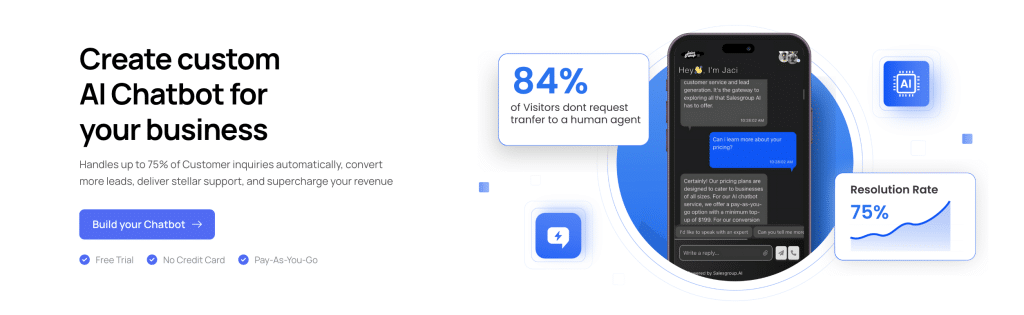
Chatbots are software applications powered by artificial intelligence (AI) or predefined rules that simulate human conversation. They interact with users through text or voice and are commonly used to automate customer service tasks, provide information, or assist with transactions. Chatbots can operate on websites, mobile apps, messaging platforms, and even through voice assistants.
Key Features of Chatbots:
- Automated Responses: Chatbots can provide instant replies to customer inquiries, handling simple and repetitive tasks efficiently.
- 24/7 Availability: They are always online, ensuring support is accessible any time of the day.
- Multitasking: Chatbots can manage multiple customer interactions simultaneously.
- Customizability: Businesses can tailor chatbots to perform specific tasks, such as processing orders, scheduling appointments, or answering FAQs.
- Data Collection: Chatbots can gather valuable customer data during interactions, providing insights for improving services.
What Is Live Chat?
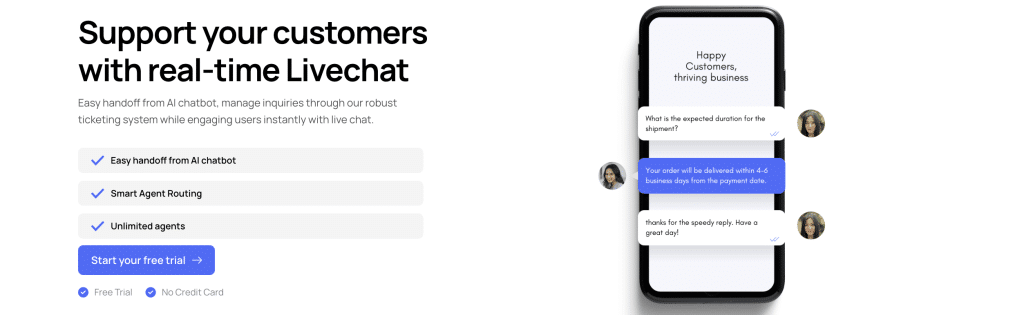
Live chat is a real-time messaging tool that connects customers with human agents for personalized support. It allows customers to type their questions and get responses from a representative, often directly on a company’s website or app. Live chat is widely used for customer service, sales, and troubleshooting.
Key Features of Live Chat:
- Human Interaction: Live chat provides a personal touch, allowing agents to communicate empathetically and adapt to unique customer needs.
- Real-Time Support: Customers can get help instantly during business hours without waiting for an email or phone call response.
- Complex Problem Resolution: Agents can handle detailed or sensitive issues that automated systems might struggle with.
- Upselling Opportunities: Agents can recommend additional products or services based on customer interactions.
- Flexible Communication: Live chat can escalate to phone or video support if needed for deeper engagement.
Live Chat vs Chatbot: Key Difference
| Feature | Live Chat | Chatbots |
|---|---|---|
| Interaction Type | Human-to-human communication in real-time. | Automated responses powered by AI or pre-set rules. |
| Availability | Limited to business hours unless supported by a 24/7 team. | Operates 24/7 without requiring human intervention. |
| Response Time | Fast, but depends on agent availability and queue size. | Instantaneous responses, no waiting required. |
| Handling Complexity | Can manage complex, sensitive, or nuanced issues. | Best suited for simple, repetitive queries. |
| Personalization | Offers empathetic, tailored support with a human touch. | Limited personalization based on programmed logic. |
| Scalability | Requires additional staffing to handle high volumes. | Can manage unlimited customer interactions at once. |
| Cost | Higher operational costs due to staffing needs. | Cost-effective after initial implementation. |
| Data Collection | Relies on agents to document insights. | Automatically collects and stores interaction data. |
| Use Cases | Ideal for troubleshooting, sales consultations, and escalations. | Suitable for FAQs, order tracking, and lead generation. |
| Learning Capability | Depends on agent training and experience. | AI chatbots can learn and improve over time. |
Live Chat Vs Chatbot
Interaction Type
- Live Chat: Offers a human-to-human connection, enabling businesses to build trust, loyalty, and stronger relationships. This is especially valuable for high-touch industries like luxury retail, consulting, or financial services.
- Chatbots: Provide automated interactions, allowing businesses to handle large volumes of inquiries without needing additional staff. This is ideal for streamlining operations and maintaining consistent responses.
Availability
- Live Chat: Limited to the working hours of your support team. Businesses operating in multiple time zones or globally may struggle to offer comprehensive coverage.
- Chatbots: Always available, ensuring global businesses can provide consistent support across different time zones without additional costs.
Response Time
- Live Chat: Response time depends on the availability of agents, which could lead to customer dissatisfaction during peak periods. Businesses must invest in staffing to avoid delays.
- Chatbots: Respond instantly, reducing customer wait times and improving overall satisfaction. This efficiency enhances the customer experience and reduces churn rates.
Handling Complexity
- Live Chat: Human agents excel at managing complex issues, offering tailored solutions, and navigating emotionally charged situations crucial for retaining high-value clients.
- Chatbots: Efficiently handle simple, repetitive queries (e.g., order tracking, FAQs). This frees human agents to focus on higher-value interactions, improving resource allocation.
Personalization
- Live Chat: Empowers businesses to deliver tailored experiences that cater to individual customer needs, boosting retention and upselling opportunities.
- Chatbots: Limited personalization based on pre-programmed logic but can gather initial data to improve future personalization through live agents or marketing efforts.
Scalability
- Live Chat: Scaling requires hiring, training, and managing additional agents, increasing operational costs. For growing businesses, this can limit flexibility.
- Chatbots: Instantly scalable without added costs, allowing businesses to expand customer service capabilities as their user base grows.
Cost Efficiency
- Live Chat: Involves ongoing expenses, including salaries, training, and infrastructure. For businesses with limited budgets, this can strain profitability.
- Chatbots: Require an initial investment in setup and maintenance but drastically reduce long-term operational costs, offering a higher ROI.
Data Collection and Analysis
- Live Chat: Relies on agents to document insights manually, which can be inconsistent. Businesses may face challenges in extracting actionable data at scale.
- Chatbots: Automatically collect and store customer interaction data, enabling businesses to analyze trends, measure performance, and optimize strategies.
Use Cases
- Live Chat: Ideal for businesses focused on customer engagement, loyalty, and high-value conversions. For example, it’s effective in closing large deals or handling premium customer support.
- Chatbots: Perfect for e-commerce, SaaS, and other businesses needing to manage high volumes of transactional or informational inquiries efficiently.
Learning and Adaptation
- Live Chat: Improvement depends on training agents, which requires time and resources. For businesses, maintaining consistent quality across teams can be a challenge.
- Chatbots: AI-powered chatbots can learn from data over time, improving their performance without requiring ongoing human input. This supports business scalability and innovation.
How to Use Live Chat and Chatbots Together Effectively
Combining live chat and chatbots allows businesses to provide scalable, efficient, and personalized customer support. Here’s a guide to integrating both tools seamlessly:
1. Define Clear Roles for Each Tool
Assign specific tasks to chatbots and live chat agents based on their strengths:
- Chatbots: Handle routine, repetitive tasks like answering FAQs, providing order updates, or collecting customer information.
- Live Chat Agents: Focus on complex issues, sensitive conversations, and tasks requiring creativity or empathy.
2. Implement a Seamless Handoff Process
Design the chatbot to recognize when a customer’s query requires human intervention.
- Use trigger phrases (e.g., “I need to speak with someone”) or identify unanswerable questions to route customers to live agents.
- Ensure the chatbot provides agents with context, such as conversation history, to avoid customers repeating themselves.
3. Use Chatbots for Pre-Chat Qualification
Deploy chatbots to collect preliminary information before transferring customers to live chat agents.
- Examples include gathering names, email addresses, order details, or the nature of the issue.
- This streamlines the process, allowing agents to resolve issues faster.
4. Provide 24/7 Support with Chatbots
Leverage chatbots to offer assistance during off-hours, ensuring customers always receive support.
- For urgent issues outside business hours, chatbots can escalate the concern by logging a ticket or scheduling a follow-up with a live agent.
5. Enhance Live Chat Efficiency with Chatbot Assistance
Equip live chat agents with chatbot-powered tools:
- Chatbots can suggest pre-written responses or retrieve customer data in real time, helping agents respond faster.
- Use chatbots to automate repetitive tasks like sending links or resetting passwords during live interactions.
6. Personalize Customer Journeys
Use chatbots to guide customers through initial stages, such as browsing products or finding information.
- Transition to live chat for personalized recommendations or consultations, improving the chances of upselling or cross-selling.
7. Monitor and Analyze Performance
Track how customers interact with both tools to identify improvement areas.
- Chatbots: Measure response accuracy, query resolution rates, and fallback frequency (how often they transfer to live chat).
- Live Chat: Evaluate agent performance, resolution times, and customer satisfaction.
8. Provide Consistent Branding and Tone
Ensure both tools align with your brand’s voice and messaging.
- Program chatbots with a tone that matches your live agents for a cohesive customer experience.
9. Educate Customers About the Combination
Communicate the benefits of using both tools to your customers:
- Let them know chatbots handle simple requests quickly, while live agents are available for more detailed support.
10. Test and Iterate
Continuously refine the integration:
- Conduct A/B tests to find the best workflows for chatbot-to-live chat transitions.
- Use customer feedback to improve both tools.
Example Workflow
- Customer Inquiry:
A customer visits your website and starts a chat. - Chatbot Handles Initial Query:
The chatbot greets the customer, identifies the issue, and attempts to resolve it (e.g., checking order status). - Seamless Escalation to Live Chat:
If the query is complex or unresolved, the chatbot transfers the conversation to a live agent, providing all relevant context. - Agent Interaction:
The live agent takes over, resolves the issue, and ends the chat. - Post-Chat Actions:
The chatbot collects feedback, offers additional resources, or logs the interaction for analysis.

How to Add Live Chat and Chatbot to Your Website

Adding live chat and chatbot functionality to your website enhances customer engagement and provides real-time support. With SalesGroup, you can seamlessly integrate both tools for efficient and personalized customer interactions. Here’s how you can do it:
Step 1: Choose SalesGroup and Set Up an Account
- Visit SalesGroup’s website: Navigate to the official SalesGroup site to begin.
- Create an account: Sign up using your email and follow the verification process.
- Choose a plan: Select a package that suits your business needs. SalesGroup offers plans tailored to different business sizes and goals.
- Log in to the dashboard: Access the SalesGroup dashboard to configure your live chat and chatbot features.
Step 2: Configure Your Live Chat and Chatbot

- Customize the Widget:
- Adjust colors, fonts, and placement to match your website’s branding.
- Add your logo and set the welcome message for users.
- Set Up the Chatbot:
- Use the chatbot builder to create automated workflows for common inquiries like FAQs, order tracking, and lead generation.
- Define triggers to initiate chatbot conversations (e.g., when a user visits a specific page).
- Configure Live Chat:
- Add your team members as live agents and define their roles.
- Set availability hours and autoresponders for when agents are offline.
Step 3: Generate and Copy the Code Snippet
- Go to the Integration section of the SalesGroup dashboard.
- Locate the unique JavaScript code snippet for your live chat and chatbot widget.
- Copy the snippet to your clipboard.
Step 4: Add the Code to Your Website
- Access your website’s backend:
- Open your HTML files or your website’s CMS editor.
- Paste the code snippet:
- Insert the SalesGroup code into the
<head>or<body>section of your website, depending on the placement instructions.
- Insert the SalesGroup code into the
- Save changes:
- Publish your website to activate the widget.
You can also use this resource to add the code to your CMS of choice:
- How to Install SalesGroup AI on Joomla
- How to install Salesgroup AI on Jimdo
- How to add SalesGroup AI on Weebly
Test the Integration
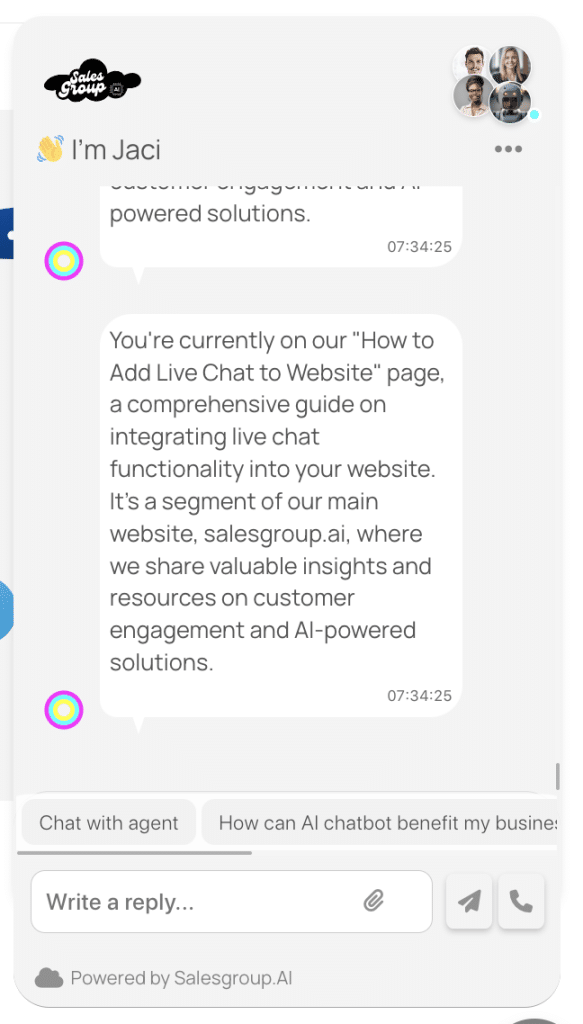
- Visit your website: Ensure the SalesGroup widget is visible and functional.
- Test Chatbot Responses: Interact with the chatbot to verify that it responds correctly to predefined triggers.
- Test Live Chat: Check that customer queries are routed to live agents as expected.
Step 6: Monitor and Optimize
- Track Performance Metrics: Use the SalesGroup dashboard to analyze chatbot efficiency, agent response times, and customer satisfaction.
- Refine Chatbot Workflows: Update responses and triggers based on customer feedback and analytics.
- Train Agents: Ensure live agents are equipped with the tools and knowledge to handle escalated queries effectively.
You can also read our article on How to add live chat to website
Live Chat vs Chatbot: Key Takeaway
When deciding between live chat and chatbots, it’s important to understand their individual strengths and how they can complement each other in a business setting. Here are some of the key takeaways we mentioned earlier:
| Feature | Live Chat | Chatbots |
|---|---|---|
| Interaction Type | Human-to-human communication in real-time. | Automated responses powered by AI or pre-set rules. |
| Availability | 5/5 (Limited to business hours unless 24/7 supported) | 3/5 (Operates 24/7 without requiring human intervention) |
| Response Time | 5/5 (Fast, but depends on agent availability and queue size) | 3/5 (Instantaneous responses, no waiting required) |
| Handling Complexity | Can manage complex, sensitive, or nuanced issues. | Best suited for simple, repetitive queries. |
| Personalization | 5/5 (Offers empathetic, tailored support with a human touch) | 3/5 (Limited personalization based on programmed logic) |
| Scalability | Requires additional staffing to handle high volumes. | Can manage unlimited customer interactions at once. |
| Cost | 4/5 (Higher operational costs due to staffing needs) | 2/5 (Cost-effective after initial implementation) |
| Data Collection | Relies on agents to document insights. | Automatically collects and stores interaction data. |
| Use Cases | Ideal for troubleshooting, sales consultations, and escalations. | Suitable for FAQs, order tracking, and lead generation. |
| Learning Capability | Depends on agent training and experience. | AI chatbots can learn and improve over time. |
| Installation Process & Setup | 3/5 (More setup and staff training required) | 4/5 (Easier setup, less human involvement) |
| Costs and Maintenance | 4/5 (Staff costs may be high) | 2/5 (Lower long-term costs) |
| Messaging Channels | 3/5 (May be limited to fewer messaging channels) | 4/5 (Works across multiple channels) |
| Reporting and Analytics | 5/5 (Detailed reporting from agents) | 4/5 (Automated analytics and reporting) |
One key thing to remember is that you shouldn’t discard your live chat just because you’ve integrated a chatbot. Both tools complement each other and should work hand in hand to ensure smooth scaling of your brand.
Chatbots excel at handling routine tasks, providing 24/7 support, and reducing response times. However, live chat still plays a crucial role in addressing complex issues, offering personalized service, and building strong customer relationships.
For seamless customer experience and business growth, use SalesGroup Live Chat today to balance automation with the human touch!
