

Front Review: Features, Pricing, Pros & Cons
There are several customer service platforms available today, all promising to make your life easier. But today, we will be doing a Front review, to guide you in choosing the best system for your team.
Front is known for taking the traditional inbox and turning it into a powerful tool built specifically for team collaboration and customer relationships.
Our goal is to give you a simple, friendly, and very detailed review of Front’s core functions, key features, and pricing plans. We will explain exactly what this unique platform offers so you can confidently decide if it’s the right solution for streamlining your team communication and delivering personalized service. Let’s dive.
What is Front?
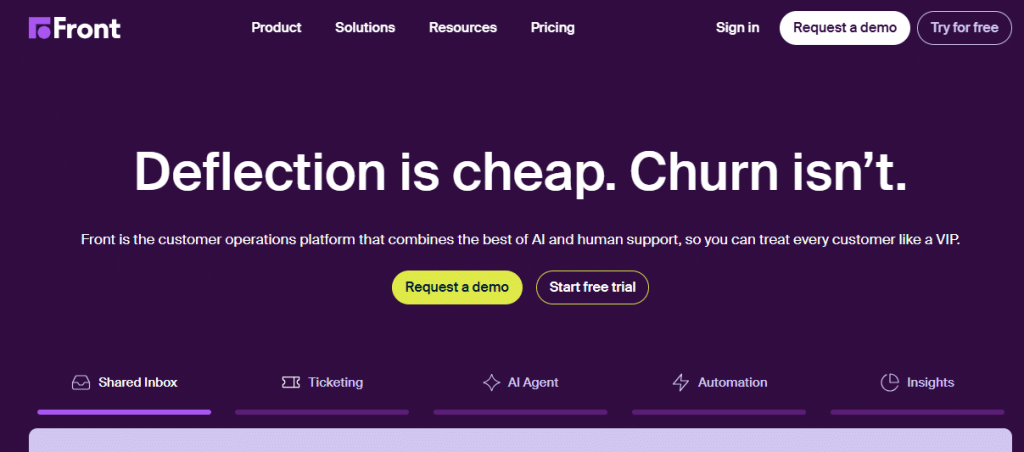
Front is a modern customer operations platform that changes the way teams manage communication. Instead of being a standard help desk software, Front is fundamentally a shared inbox that acts as a central hub for all customer conversations. It brings together emails, social media messages, live chat, and even SMS into one unified application that looks and feels like a regular email program, but with powerful team features added in.
Front’s main goal is to make communication fast, personal, and collaborative. It understands that customer service often needs teamwork—a sales question might need input from a technical expert, or a support request might need to be followed up by an account manager.
By allowing teammates to see and work on the same messages together, Front removes the need for internal forwarding or long Slack threads.
It keeps the context right where the customer conversation is happening, which allows teams to respond much faster and avoid missed messages or duplicate replies. It’s a platform built for businesses where meaningful, personal customer relationships are key.
Front Core Features and Functionalities
Front has many features designed to boost teamwork and streamline the handling of high-volume communication. Let’s look closely at the most important features and how they help your team work together better.
1. Shared Inbox and Communication Hub
The heart of Front is the Shared Inbox. This feature unifies all communication channels—like support@company.com, Facebook Messenger, and even individual agent emails—into one simple view. When a message arrives in a shared inbox, anyone on the team can see it, assign it, and reply to it.
This stops customer emails from getting stuck in one person’s private inbox. The result is better accountability and faster response times, ensuring a customer never has to repeat themselves to a new agent.
2. Team Collaboration and Internal Comments
Front is built around collaboration. Instead of forwarding an email to a teammate or starting an internal chat thread about a customer, you can simply “comment” directly inside the customer message. These internal comments are only visible to your team.
For example, if a difficult question comes in, an agent can tag an expert teammate in a comment (@techlead) to ask for help without the customer seeing the conversation. This keeps internal discussions hidden from the customer and allows for quick, context-rich support.
3. Message Management and Assignment
Front makes sure work is always clear. Every conversation in the shared inbox can be assigned to a specific person. Once assigned, that person is responsible for the reply, which removes confusion about “who owns this.”
Team leaders can easily see who is handling what and track the team’s workload. You can also use “Snooze” features to temporarily hide messages until you need to follow up, making sure nothing is forgotten.
4. Advanced Automation and Rules
To handle high volumes of messages quickly, Front includes a powerful Rules engine. These are like automated recipes (If this happens, then do that) that save your team a lot of manual work. You can set rules to automatically do things like:
- Assign a new message to the correct team (e.g., if the message is from a VIP customer, assign it to a senior agent).
- Add a tag to a message (e.g., if the subject mentions “billing,” add the “Invoice” tag).
- Automatically reply with a standard answer (a Template) to very common questions.
This automation ensures messages are always routed correctly and saves agents time on repetitive tasks.
5. Templates, Slams, and Speed
Front offers Message Templates (also known as Canned Responses) that allow agents to insert pre-written, tested replies with just a few clicks. This ensures message quality and consistency across the whole team.
For quicker actions, SLA (Service Level Agreement) features are available in higher tiers to track and alert teams when a message response time is at risk of being missed, helping managers keep promises made to customers.
6. Analytics and Reporting
Front provides important insights into how your team is performing and how satisfied your customers are. Its Analytics and Reporting tools let managers track key metrics. You can easily see things like:
- Average response time and resolution time.
- Which shared inboxes are the busiest.
- Individual agent performance and workload.
- How often templates are used.
This data helps you make smart decisions to improve your team’s efficiency and customer experience.
Front Setup Experience and Usability
Front is known for being very easy to start using because its interface looks familiar—like a super-powered email client. Most users find it very intuitive and easy to implement. Agents can often get up and running quickly with very little training, which is a major advantage.
Setting up the basic shared inboxes is fast. However, configuring the complex Automation Rules and customizing all the channels for larger organizations can take some time and effort. While the desktop and web versions are excellent, some users report that the mobile app, while useful, can sometimes lack full functionality or clarity compared to the desktop version.
Front Pricing Structure and Plans
Front uses a simple, per-user, per-month pricing model. All plans require a minimum of 2 users and prices listed below are the monthly cost when you pay for a full year (which saves you money). You should also expect a setup fee for higher plans.
| Plan Name | Monthly Cost (per user, billed annually) | Key Inclusions | Collaboration & Automation Limits | Best For |
|---|---|---|---|---|
| Starter Plan | Starts at $19 | Basic Shared Inboxes (3), Email channels, Team Templates, Basic Rules (20 total). | Limited to 20 basic automation rules. | Small teams needing to move past forwarding emails. |
| Growth Plan | Starts at $59 | Everything in Starter, plus more Shared Inboxes, Live Chat, SMS channel, basic Analytics, and SLA Rules. | Up to 100 automation rules, more channels included. | Growing teams needing better collaboration and multiple channels. |
| Scale Plan | Starts at $99 | Everything in Growth, plus advanced Analytics, Custom Reporting, Advanced Voice/Call features (via integration), and unlimited Automation Rules. | Unlimited rules, advanced data access. | High-volume support teams and organizations with complex needs. |
| Premier Plan | Custom Pricing | Most advanced features, dedicated support, and enterprise-level security (like SSO). | Highest security and compliance features. | Large enterprises with strict security and high customization requirements. |
Front Pros and Cons: A Balanced Perspective
Front has many strong advantages, especially for teams that rely heavily on collaborative communication. But like any powerful tool, there are a few areas where users find room for improvement.
Key Strengths
Excellent Team Collaboration: The built-in commenting feature is a game-changer, allowing teams to discuss and resolve issues quickly without sending internal emails or chats.
Unified Communication: It successfully brings together diverse channels (email, chat, social) into one simple interface that looks like an email inbox.
Ease of Adoption: The interface is familiar and intuitive, making it fast and easy for new team members to learn and start using.
High Accountability: The assignment feature clearly defines who is responsible for each customer conversation, reducing dropped messages and improving ownership.
Areas for Improvement
Higher Cost: The pricing for the middle and upper tiers (Growth and Scale) is significantly higher than many traditional help desk solutions.
Rules Complexity: While powerful, setting up and managing a large number of advanced automation rules can be difficult and require specialized knowledge.
Missing Features in Basic Plans: Essential features like Live Chat and SLA monitoring are often locked into the more expensive Growth and Scale plans.
- Focus on Email/Chat: While it supports voice integration, it is not a native call center solution like some competitors, meaning phone support often relies on a separate integration.
Conclusion
Front is a leading solution for teams who believe that communication and collaboration should be handled like a modern, shared email system.
It excels at unifying multiple inboxes and giving teams the tools to work together transparently and quickly inside customer messages. It is the perfect choice for companies that need to keep their communication personal while still handling high volumes of requests and ensuring no conversation is missed.
If you are looking at comprehensive customer support and find Front appealing but want to explore other strong, all-in-one alternatives that also focus on unifying service channels, you might consider investigating Salesgroup.
Like Front, Salesgroup offers tools designed to help manage customer interactions effectively, often featuring unified dashboards and solutions to keep support teams connected and efficient, making it a viable alternative to explore in your continued research for the perfect customer service platform.
