

Kayako Review: Features, Pricing, Pros & Cons 2026
This article explores Kayako Review in detail, its feaures, pricing, pros and cons.
Kayako is a comprehensive, cloud-based customer service platform built to redefine how support teams work.
Launched in 2001, an era when most helpdesk software was clunky, confusing, and frustrating.
Kayako set out with a simple but revolutionary mission: to create a support experience that both customers and agents would truly enjoy.
More than two decades later, Kayako has evolved into an AI-driven, omnichannel platform that unifies every communication touchpoint; email, live chat, social media, phone, SMS/WhatsApp, web forms, and even APIs within a single, intuitive workspace.
Kayako Review
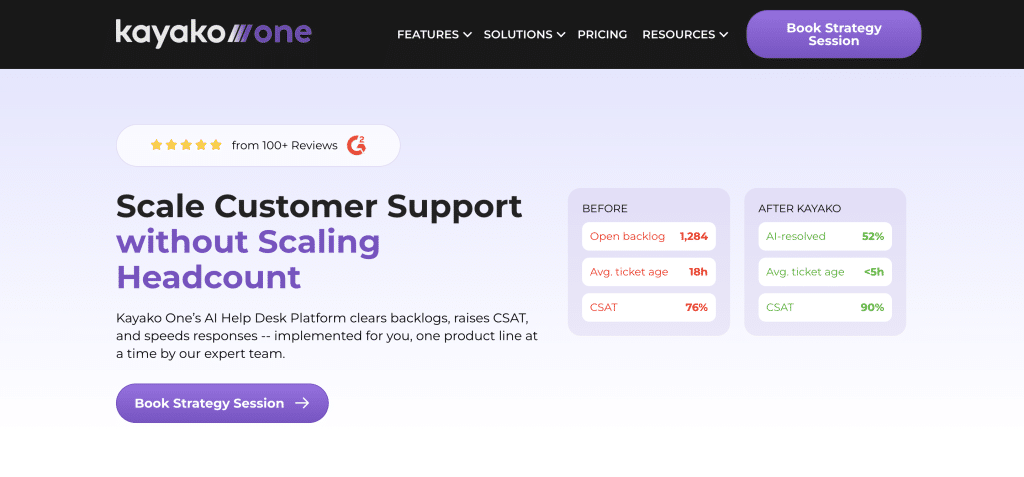
The platform delivers strong automation capabilities and seamless integrations with popular CRMs and e-commerce tools. However, organizations seeking more advanced automation rules or an extensive integration ecosystem may find alternatives like SalesGroup better suited to their needs.
Still, for businesses that value simplicity, hands-on onboarding, and meaningful AI-powered productivity gains, Kayako remains a compelling and dependable choice for modern customer service excellence.
Kayako: Pros and Cons
Kayako’s deepest strength lies in its simplicity and ease of use. It’s built to help support teams work smarter, not harder, combining intuitive design with powerful AI tools that reduce manual workload and improve response quality.
That said, like any platform, it comes with a few areas where users feel it could do better.
Pros of Using Kayako
- Powerful AI Assistance
- AI Suggested Responses help agents reply faster and more accurately.
- Self-Learning Mode improves over time by learning from closed tickets.
- The AI Ticket Assistant lets agents “chat with the ticket” to extract key details quickly.
- Contextual AI understands nuanced or technical customer issues.
- Efficiency and Automation
- Handles repetitive inquiries (like password resets and order tracking) automatically.
- Summaries and suggested replies ensure consistency across responses.
- Ease of Implementation
- Easy to deploy, even on top of legacy systems.
- Performance and Interface
- Lightweight, fast, and user-friendly interface that keeps agents productive.
- Flexible Pricing Model
- Charges based on resolved tickets, not seats — ideal for scaling support teams.
Cons of Using Kayako
- Learning Curve
- Initial setup and onboarding may require some adjustment.
- Linking accounts and emails can be confusing without detailed guidance.
- Analytics Limitations
- Reporting tools are functional but could be more intuitive.
- AI Limitations
- Occasionally struggles with edge cases or region-specific language.
- Mobile Experience
- Mobile app works but lacks the polish of the desktop version.
- Minor Technical Gaps
- Missing features like auto-refresh for new tickets require manual workarounds.
Kayako Pricing
Kayako keeps its pricing refreshingly simple with a single plan—Kayako One—priced at $79 per month. This all-inclusive package gives teams access to every core feature without the usual tiered complexity.
Businesses get a shared inbox and ticketing system, pre-built reports, a public help center, and support for multiple team inboxes and brands. It also includes private and multilingual help center capabilities, making it suitable for organizations with diverse customer bases.
Kayako’s model focuses on value and scalability. The plan covers one brand messenger, with an optional $1 add-on for AI-resolved tickets, allowing teams to pay only for the automation they actually use.
How Kayako Supports Human Customer Service
1. Unified Customer View
Kayako centralizes every customer interaction—across email, chat, social media, and tickets—into one continuous timeline. Agents see the customer’s full journey, including previous issues, conversations, and purchase history. This ensures every response is contextual and personal, not robotic or repetitive.
2. Shared Inbox
All incoming messages—whether from email, chat, or social platforms—flow into a shared inbox, keeping the entire team aligned. Agents can easily collaborate, assign, or follow up without losing context. It promotes transparency, reduces duplicate work, and ensures no customer message goes unanswered.
3. Live Chat
Kayako’s live chat feature enables real-time conversations with customers, backed by full access to past interactions. Agents can respond instantly while seeing the user’s journey and previous tickets, creating a smooth, human-like chat experience that feels connected rather than transactional.
4. AI-Suggested Responses
The platform’s AI recommends context-aware responses based on each customer’s query and conversation history. Agents can customize these replies to maintain authenticity, balancing efficiency with empathy.
5. AI Ticket Assistant
Agents can “chat with the ticket” to pull key details—like issue summaries, customer sentiment, or relevant messages—without scrolling through long threads. This saves time while keeping replies accurate and informed.
6. Self-Learning Mode
Over time, Kayako’s AI learns from resolved tickets and closed conversations. It becomes better at predicting the right tone, phrasing, and solutions, helping teams respond faster while maintaining consistency and quality.
7. Omnichannel Communication
Kayako connects all major support channels—email, social media, WhatsApp, live chat, and web forms—into one interface. Customers can switch between platforms seamlessly, and agents maintain full visibility, ensuring continuity in every interaction.
8. Multilingual and Private Help Centers
Businesses can create multilingual help centers to support global audiences, or private portals for internal and VIP clients. This helps maintain a sense of personalization and inclusivity across different markets.
Platform Experience and Technical Performance
Kayako offers a well-balanced platform experience that combines ease of use with strong technical performance. Designed for both speed and simplicity, it gives support teams a unified, cloud-based workspace that feels modern yet accessible.
Setup and Onboarding
Setting up Kayako is straightforward, even for teams without deep technical expertise. Administrators can easily configure help centers, channels, and localization settings through the dashboard. Customization options—like branding, CSS, and templates—allow teams to tailor the interface to their brand identity.
The platform’s lightweight architecture ensures a quick deployment process, while intuitive controls make it easy to bring agents onboard. For most teams, setup involves only a few key steps: connecting communication channels, defining workflows, and adjusting branding.
Integrations and Technical Connectivity
Kayako integrates seamlessly with a variety of popular platforms, including CRMs like Salesforce, e-commerce systems like Shopify, and payment platforms like Stripe. Through its connection with Zapier, users can link Kayako to hundreds of other business apps without writing a line of code.
For teams that need more control, Kayako provides open APIs and webhooks that enable custom integrations with internal systems. This flexibility allows organizations to sync customer data, automate workflows, and extend Kayako’s functionality as needed—without replacing their existing tech stack.
Documentation and Support
Kayako’s documentation is extensive, covering everything from first-time setup to advanced API use. The help center includes practical guides, screenshots, and implementation steps that cater to both non-technical users and developers.
The API documentation is well-structured, allowing technical teams to easily build custom solutions, automate processes, or connect Kayako to proprietary tools. For everyday users, clear walkthroughs make configuring integrations, customizing the help center, or creating automation rules a simple process.
Technical Performance
Kayako’s web-based interface is fast and responsive, optimized for quick loading and real-time collaboration. It performs well in multi-channel environments, even with high ticket volumes. The platform handles simultaneous inputs—email, chat, or social messages—without lag.
While it’s strong in core performance, advanced automation or complex reporting setups may require some manual configuration or custom work. Similarly, some users note that features like ticket auto-refresh or mobile performance could be improved for even smoother workflows.
Alternatives to Kayako
Salesgroup
SalesGroup stands out as an all-in-one customer engagement solution combining AI chatbots, live chat, ticketing, reviews, and push notifications. Its strength lies in automation and real-time interaction, making it ideal for businesses that want to blend sales and support in one platform.
Tidio
Tidio, on the other hand, is known for its simplicity and affordability. It offers a unified inbox, chatbot, and live chat tools designed for small and medium-sized businesses that want to deliver instant responses without complexity.
Zendesk
Zendesk remains a heavyweight in the customer service industry, offering powerful ticketing, automation, and omnichannel support for large organizations. Its scalability and extensive integrations make it ideal for complex operations, though smaller teams may find its setup and pricing more demanding.
Conclusion
While Kayako continues to impress with its simplicity, contextual service, and AI-driven support tools, businesses looking for a more dynamic, conversion-focused customer engagement platform may find SalesGroup AI to be a stronger fit.
SalesGroup goes beyond ticketing by uniting AI chatbots, live chat, reviews, push notifications, and surveys in one ecosystem — empowering teams to sell smarter, resolve issues faster, and maintain consistent customer connections. Its focus on automation, scalability, and measurable results makes it an excellent choice for companies that want to blend customer support with proactive engagement and sales growth.
For organizations seeking an all-in-one platform that bridges customer experience, marketing, and AI innovation, SalesGroup AI offers a future-ready alternative that elevates every customer interaction into an opportunity for conversion and loyalty.
